Connection issues
Get back into the room when your connection drops or freezes.
Last updated:
How do I fix connection issues in flat.social?
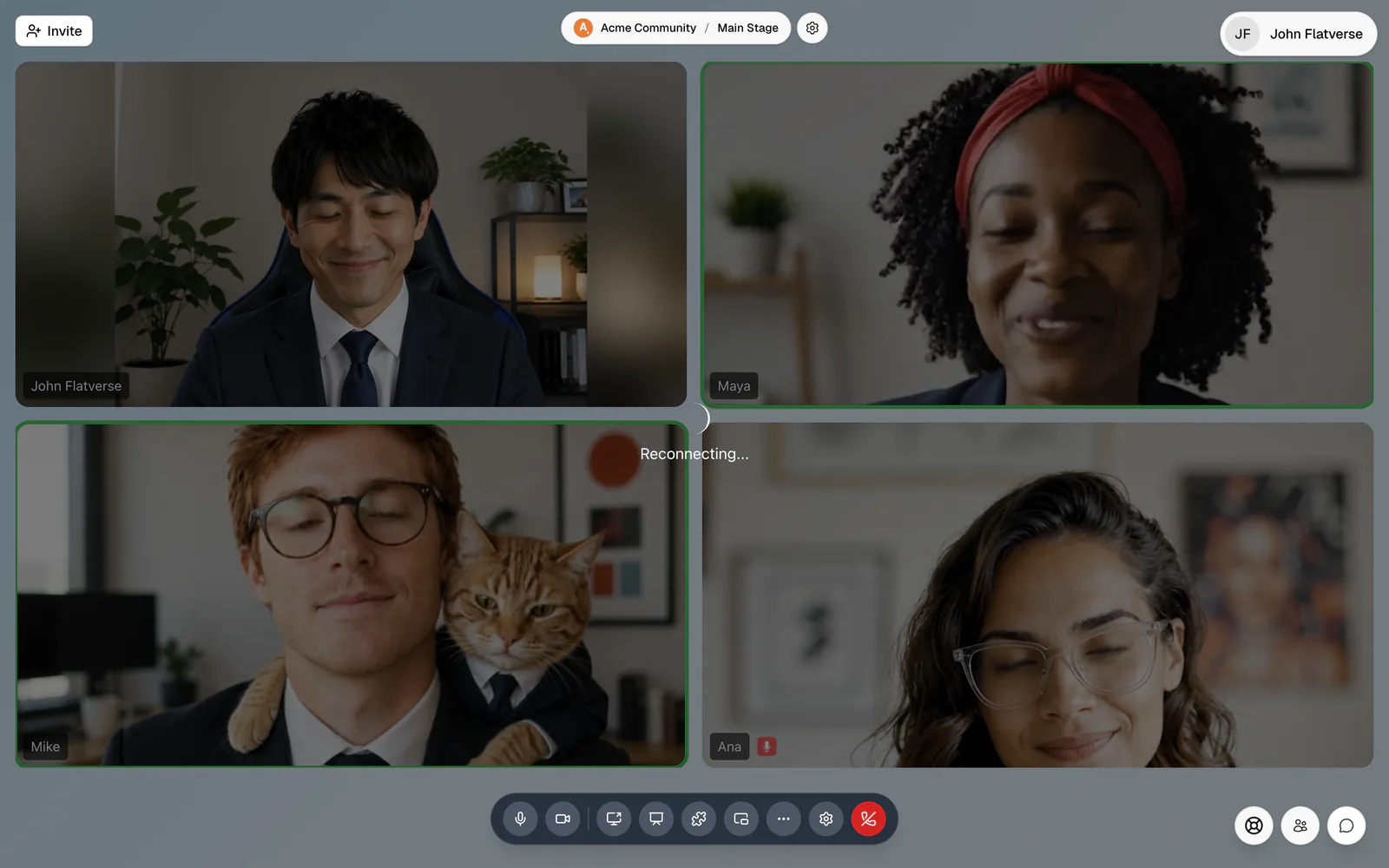
flat.social reconnects on its own after short drops. In an Open Spatial room this happens quietly in the background: people may freeze for a moment and then carry on. In a Conference room you'll see "Reconnecting..." until the call is back. If it doesn't recover within a few seconds, reload the page. If a room can't reconnect at all, you'll see "You have left this room" with Rejoin room.
If problems keep coming back, the cause is usually your network: a weak connection, a firewall or VPN blocking real-time traffic, or another app using up your bandwidth.
Reload the page. You go back through the join screen and land in the room again in a few seconds.
Reconnect to a room
A quick checklist to get back online when the connection drops.
- 1Reload the page
Refresh your browser tab and join again. This fixes most drops.
- 2Check your internet
Make sure other sites load. If your Wi-Fi is weak, move closer to the router or use a wired connection.
- 3Pause bandwidth-heavy apps
Stop large downloads, cloud backups, streaming, and other calls. Turning your own camera off also helps on a slow link.
- 4Turn off a VPN or try another network
Disconnect your VPN and reload. On locked-down office Wi-Fi, test with a phone hotspot. See Firewalls & VPNs.
The room is slow or choppy, but I'm connected
Stuttering visuals are usually your computer, not your connection. Open Settings → Graphics and pick a lighter level, or accept the Switch suggestion when flat.social says the room is running slowly. See Graphics and performance.
Switching networks mid-session, for example from Wi-Fi to mobile data, can drop your connection. On a phone, locking the screen can pause the call; flat.social restarts your camera when you come back. If anything looks stuck after a network change, reload the page.