Best Online Whiteboard Tools in 2026
Canva, Miro, FigJam, Microsoft Whiteboard, flat.social and more — compared for remote teams, teaching, and brainstorming.
Physical whiteboards belong in a different era. In 2026, the whiteboard lives in your browser — and the choice of which online whiteboard is no longer obvious. Google Jamboard was discontinued at the end of 2024, Figma turned its sketching feature into a full product (FigJam), and Canva and Microsoft both pushed into the space with free tiers that didn't exist a few years ago.
We've used these tools for retrospectives, workshops, design reviews, classes, and casual brainstorming. Below are our picks for the best online whiteboard tools in 2026, who each one is best for, and the trade-offs you should know before committing your team to one. Free options, paid options, and the best Miro alternatives — all covered.
Quick answers
1. Canva Whiteboards — best online whiteboard overall in 2026
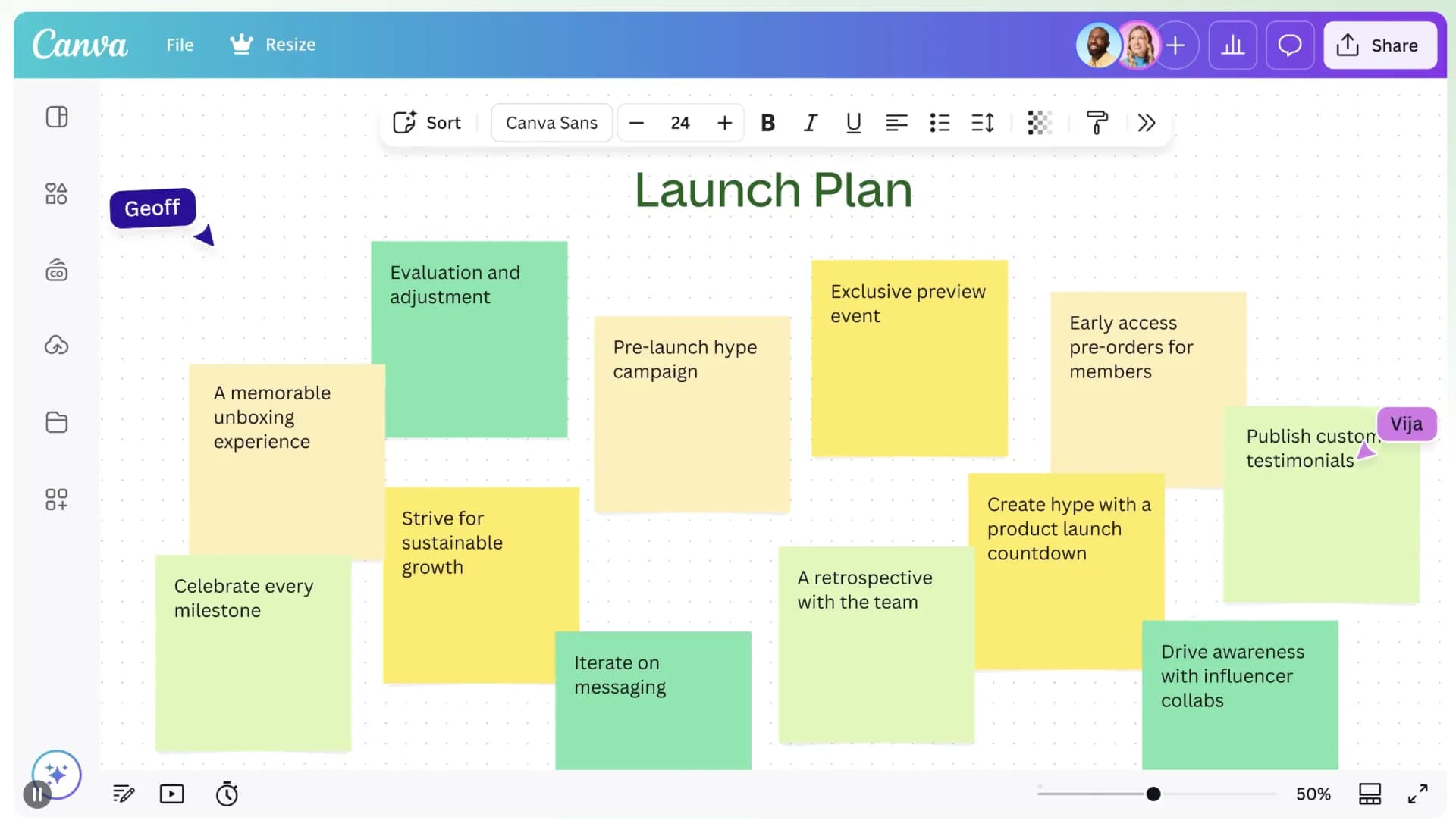
Canva Whiteboards is our top pick for the best online whiteboard in 2026. It nails the fundamentals — infinite canvas, real-time collaboration, sticky notes, drawing, video and image embeds — and then layers on the thing none of the others get right: a library of beautifully designed, ready-to-run templates for almost every meeting type imaginable. Idea boards, flowcharts, decision trees, SWOT grids, concept maps, sprint planning, mind maps, dozens of retrospective formats. Drag, drop, done.
What tips Canva over Miro and FigJam isn't just the templates — it's that the whiteboard is part of the wider Canva universe. You can pull in brand assets, AI-generated images, presentation slides, and design files without leaving the canvas. The AI tools can turn a brief into a first-draft board, cluster sticky notes, and generate summaries. A built-in timer keeps meetings from drifting, and the free tier is one of the most generous in the category — most small teams will never need to upgrade.
Best for: the default choice for most teams in 2026 — marketing, product, agencies, classrooms, and anyone who'd rather start from a great template than a blank canvas.
2. Miro — best for large workshops and deep integrations
Miro is the heavyweight in the category and the obvious runner-up. It's an infinite, real-time online whiteboard that scales from a two-person sketch to enterprise-wide workshops with hundreds of participants. The third-party integrations cover almost every tool your team already uses (Jira, Slack, Notion, Zoom, Microsoft Teams), and the AI features added in the last couple of years can summarise sticky notes, cluster ideas, and generate first drafts of diagrams.
Miro is also where most professional facilitators have built their muscle memory — if you hire a workshop consultant or attend an industry retrospective, the odds are high it's running on Miro. The free plan supports a limited number of editable boards, which is enough to evaluate it before committing to a paid seat. If your team's whiteboard needs are heavily integration-driven, or if you regularly run workshops with 50+ people, this is the safer pick over Canva.
Best for: product teams running large retrospectives, enterprise workshops, and anyone who needs the deepest plugin ecosystem.
3. flat.social — best when the whiteboard is part of the meeting
flat.social takes a different angle: instead of an empty grid you join a space — a persistent interactive room where the whiteboard is one feature among many. You can drop sticky notes, sketch, embed images and YouTube videos, walk around with proximity audio, and share screen, all in the same canvas. Every meeting feels less like a Zoom call with a board on the side and more like a virtual office your team can hang out in.
That makes flat.social a strong fit when the meeting itself is the point — agile retrospectives, creative workshops, virtual offsites, classroom-style sessions, and casual team hangouts. If you've ever wished Miro had presence and audio baked in, this is what that looks like.
Best for: retrospectives, creative workshops, virtual team-building, and always-on team rooms.
4. FigJam by Figma — best for design teams
FigJam is Figma's dedicated online whiteboard, born from the same DNA that designers already trust for UI work. It feels lighter and friendlier than Figma proper, with sticky notes, stamps, music, voting tools, and a charmingly playful set of cursors — but everything still snaps cleanly to Figma's design files when a brainstorm needs to become a wireframe.
The free tier is generous, the AI assistant can turn a messy brainstorm into a structured artifact in seconds, and the round-trip into Figma is unbeatable. If your team's already using Figma, switching whiteboards anywhere else introduces friction you don't need.
Best for: product designers, UX teams, and anyone whose whiteboard sessions feed directly into design work.
5. Microsoft Whiteboard — best for Microsoft 365 and Teams users
Microsoft Whiteboard is the path of least resistance if your organisation runs on Microsoft 365. It launches straight from Teams meetings, syncs with OneDrive, and works on the web, Windows, iOS, and Surface devices with full pen support. The interface is simpler than Miro or FigJam — fewer templates, fewer plugins — but that simplicity is precisely the point if you want non-power-users to actually contribute.
Microsoft Whiteboard is free with any Microsoft account, and the paid Microsoft 365 plans add templates, admin controls, and tighter governance for regulated teams. As a free, browser-based web whiteboard for quick collaborative sketches, it's a remarkably solid default in 2026.
Best for: enterprises on Microsoft 365, hybrid meeting rooms with Surface Hubs, and teams that want a simple shared whiteboard inside Teams.
6. Limnu — best online whiteboard for teaching
Limnu is purpose-built for online tutoring and small-group teaching. The pen feel is closer to real ink than most general-purpose whiteboards, which matters a lot when you're walking a student through algebra, biology diagrams, or sheet music. Students can join a board from a link without going through a long signup flow — a small thing that meaningfully reduces drop-off in 1:1 sessions.
Limnu is less ambitious than Miro or Canva in scope, and that's the point: it does whiteboard-style teaching exceptionally well and stays out of the way for everything else.
Best for: tutors, math and STEM teachers, language coaches, and anyone running 1:1 or small-group online lessons.
7. Whiteboard.fox — best free online whiteboard with no signup
Whiteboard.fox is the answer to "I need a shared whiteboard in the next thirty seconds." No account, no app, no plan — open the URL, share the link, start drawing. It's deliberately minimalist (pen, eraser, basic shapes, a chat box) and that's exactly why it has the highest search volume of any single whiteboard tool we measured.
It won't replace Miro for your sprint planning, but for an interview whiteboard round, a quick design sketch with a friend, or a parent-teacher tutoring session where nobody wants another login, it's the best free online whiteboard available.
Best for: ad-hoc collaboration, technical interviews, parent–teacher sessions, and anywhere a friction-free shared sketch is the only requirement.
What happened to Google Jamboard?
If you're searching for Jamboard in 2026, the short answer is: it's gone. Google retired both the Jamboard app and hardware at the end of 2024 and pointed users toward FigJam, Lucidspark, and Miro as official replacements. If you liked Jamboard for its simplicity rather than its integrations, Microsoft Whiteboard, Canva Whiteboards, or Whiteboard.fox will feel closest to home.
What makes a great online whiteboard?
After testing every major tool above, the differences between them come down to four things. If you're evaluating an online whiteboard for your team, these are the criteria worth weighing.
Infinite canvas
Physical whiteboards run out of room. Online whiteboards shouldn't. An infinite, zoomable canvas lets ideas branch and reconnect without anyone having to erase a thought to make space for the next one — and it's the single biggest reason teams stop reaching for the physical board in the first place.
Real-time collaboration
The whole point of a collaborative whiteboard is that everyone can edit at the same time. Look for live cursors, low-latency sync, comments, and the ability to follow another participant's view — the better tools make a remote session feel as fluid as standing around the same physical board.
Sticky notes, drawing, and media
Sticky notes have been the workhorse of brainstorming since 1962, and a great online whiteboard makes them effortless. Beyond notes, look for free-form drawing, shape libraries, image and PDF embedding, and increasingly — AI features that can cluster or summarise a wall of ideas.
Sharing, presenting, and presence
The last 20% of the experience is how easily other people can join. The best online whiteboard tools let participants enter from a link, with or without an account, and ideally include some form of presence — voice, video, or at least live cursors — so the board feels like a shared room rather than a shared file. flat.social leans into this most explicitly, but every tool above has its own answer.
Create a virtual whiteboard space for your team
Remote teams use flat.social to run the most creative meetings, retrospectives, and virtual events — with the whiteboard built right into the room.