7 best SpatialChat alternatives in 2026, free and paid
SpatialChat puts video bubbles on a background and is at its best for large events with a stage. You can probably guess our pick for everything smaller: flat.social, a world to walk around with games in the room and a cheaper day pass, free for 5 people at once. Six more alternatives follow, each compared with SpatialChat, in case bubbles or pixels suit you better.
Free up to 5 people, no credit card required
SpatialChat (often typed "Spatial Chat") is the one with the bubbles. Each person is a round video bubble, you drag yours across a background picture, and you hear the bubbles close to you. It calls itself an all-in-one virtual events and meetings platform, and next to those breakout rooms it has stage rooms, where a handful of speakers address an audience of thousands. It runs in the browser and guests can enter from a link.
That makes it a strong tool for conferences, fairs and poster sessions, and we mean it. People go looking elsewhere when they want something it wasn't built around: a space that feels like a place, with an avatar and a map; things to do together besides talking; or a lower price for a small event. Its free plan takes up to 12 participants for 2 hours of meetings a day, and a Day Pass is $5 per user per day.
So this page has two jobs. Job one: show you flat.social, the SpatialChat alternative we make, and be straight about what it can and can't do next to the bubbles. Job two: walk you through six more SpatialChat alternatives, prices included, for the days when neither a bubble nor our little world is what you need.
Let's get to it.
Our answer: flat.social :)
We've been cooking this one for a while. Our mission? Make remote work feel more... human. We want to give your team the most delightful virtual office, one they will love both for collaboration and for hanging out.
Over 33 thousand people have spent time socializing and collaborating in virtual spaces on flat.social. Remote teams, online schools and communities loved it and have already created close to 800 virtual spaces!
- spaces created
- 785
- people hung out
- 33,000+
- countries
- 141
Why flat.social?
- You get a body, and somewhere to put it. In flat.social you walk an avatar through a low-poly 3D map with rooms, furniture and open ground. In SpatialChat you move a video bubble over a background image or video.
- Our free plan has no clock. flat.social is free for 5 people at once for as long as you like. SpatialChat's free plan takes more people, up to 12 (fair play), and limits you to 2 hours of meetings a day.
- The day pass is less than half the price. $2 per seat for 24 hours, for exactly the number of seats you need. SpatialChat's Day Pass is $5 per user per day, sold in steps of 10 users, so guest number 21 arrives with nine empty chairs.
- The monthly seat is lower too. We both bill concurrent users. flat.social is $6 per seat per month; SpatialChat's office plans are $8 and $12.
- There's more to do than talk. Football with a scoreboard, Grand Prix racing, bowling, chess and timed speed networking are built into the map, and you can go surfing or set off fireworks between rounds. SpatialChat has no built-in games; activities come from embeds such as Miro, Google Docs and YouTube.
- You build the place yourself. flat.social has a build mode you use from inside the room, so the space ends up looking like your group and not like a template. SpatialChat lets you set backgrounds, a theme colour and templates.
The size limit runs the other way, and it's a big one. A flat.social space holds 100 people on self-serve plans. If you're filling a stage for a thousand, or your attendees want to see faces and would rather not steer a little character around, we might not be your vibe and SpatialChat is the right tool. We say so again below.
What is the best SpatialChat alternative?
For teams, classes and communities of up to 100 people, the best SpatialChat alternative is Flat.social: a browser-based 3D world where avatars walk up to each other and talk (no dragging required), with meeting rooms, games in the room and guests who join from a link. It is free for 5 people at once with no time limit, $6 per concurrent seat per month, or $2 per seat for a one-day event. For events of several thousand people, SpatialChat's stage rooms or Roam's Theater fit better.
The same proximity idea, with a body and a room
SpatialChat taught a lot of people how proximity audio works: drag your bubble towards a group and their voices come up. Flat.social uses the same rule. The difference is what you are moving and where. You steer an avatar across a map with walls, tables and corners, so a group has somewhere to stand and a newcomer can see where to go (anyone shy can hang about by the door for a minute first).
What's in the box?
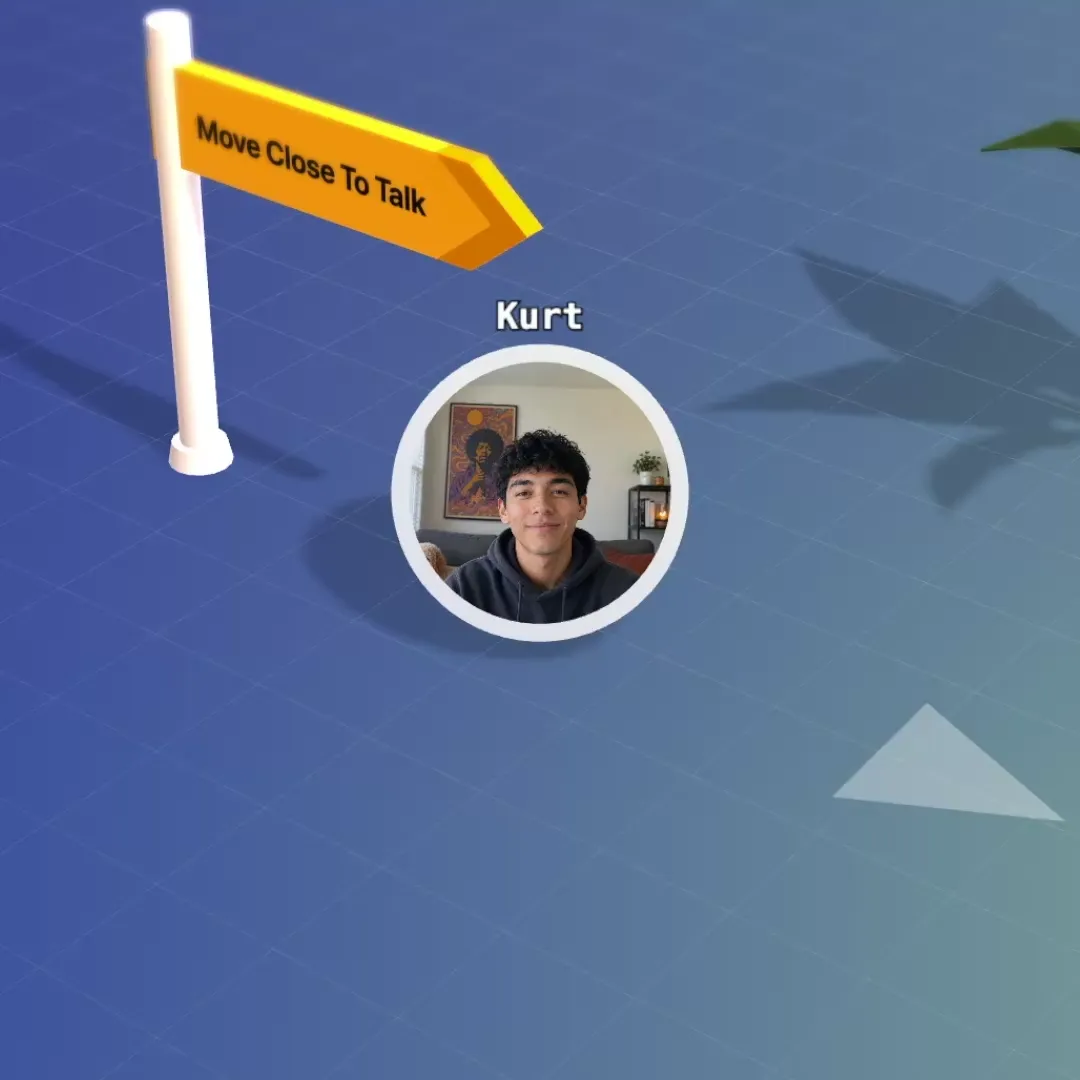
Bump into a colleague again.
No invite, no link. Walk over and talk, and hear the people near you. Voices fade with distance, so groups form the way they do at a cocktail party.
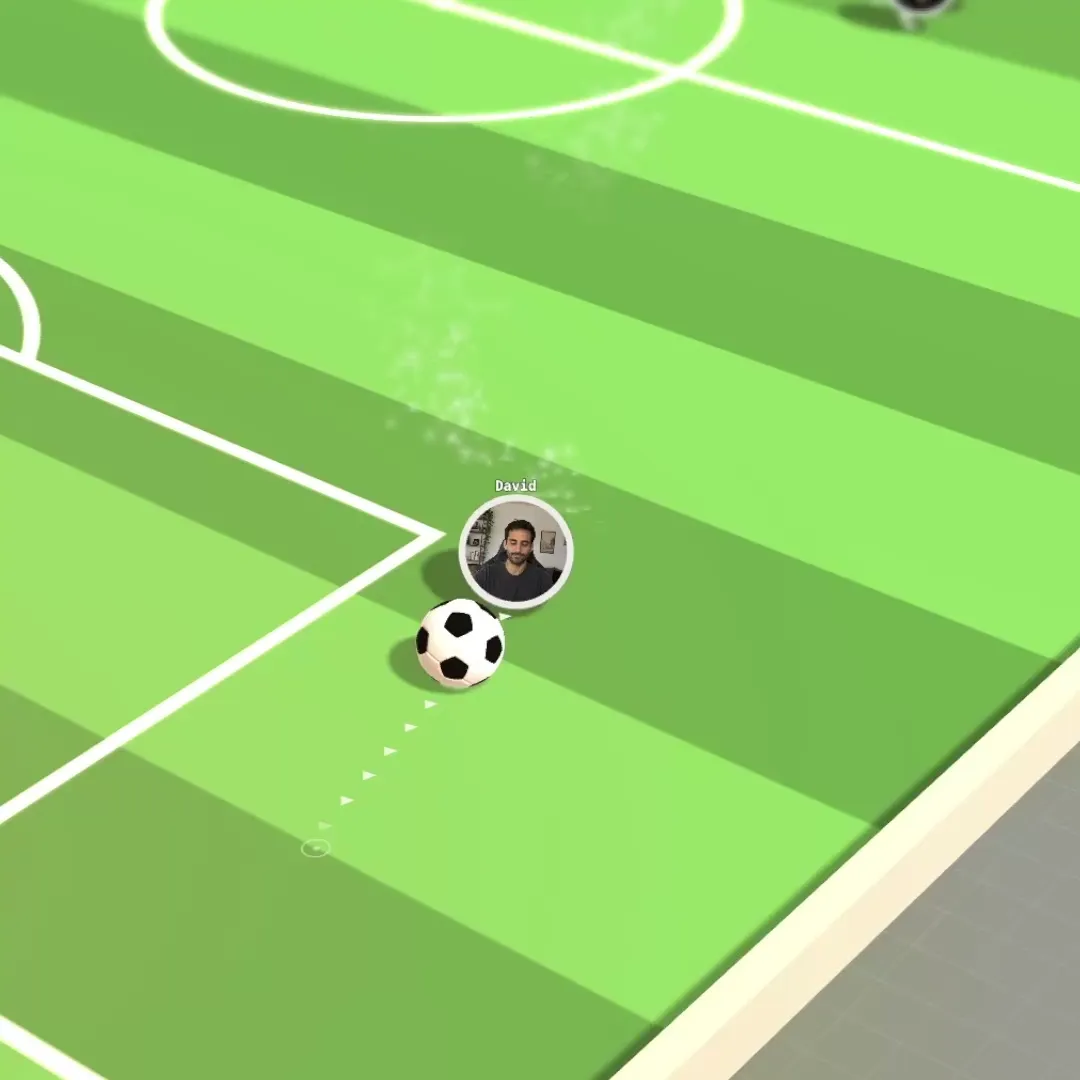
Friday socials people turn up to.
Set up the space once and send the link. People drift between games, the bonfire and small groups without anyone hosting.
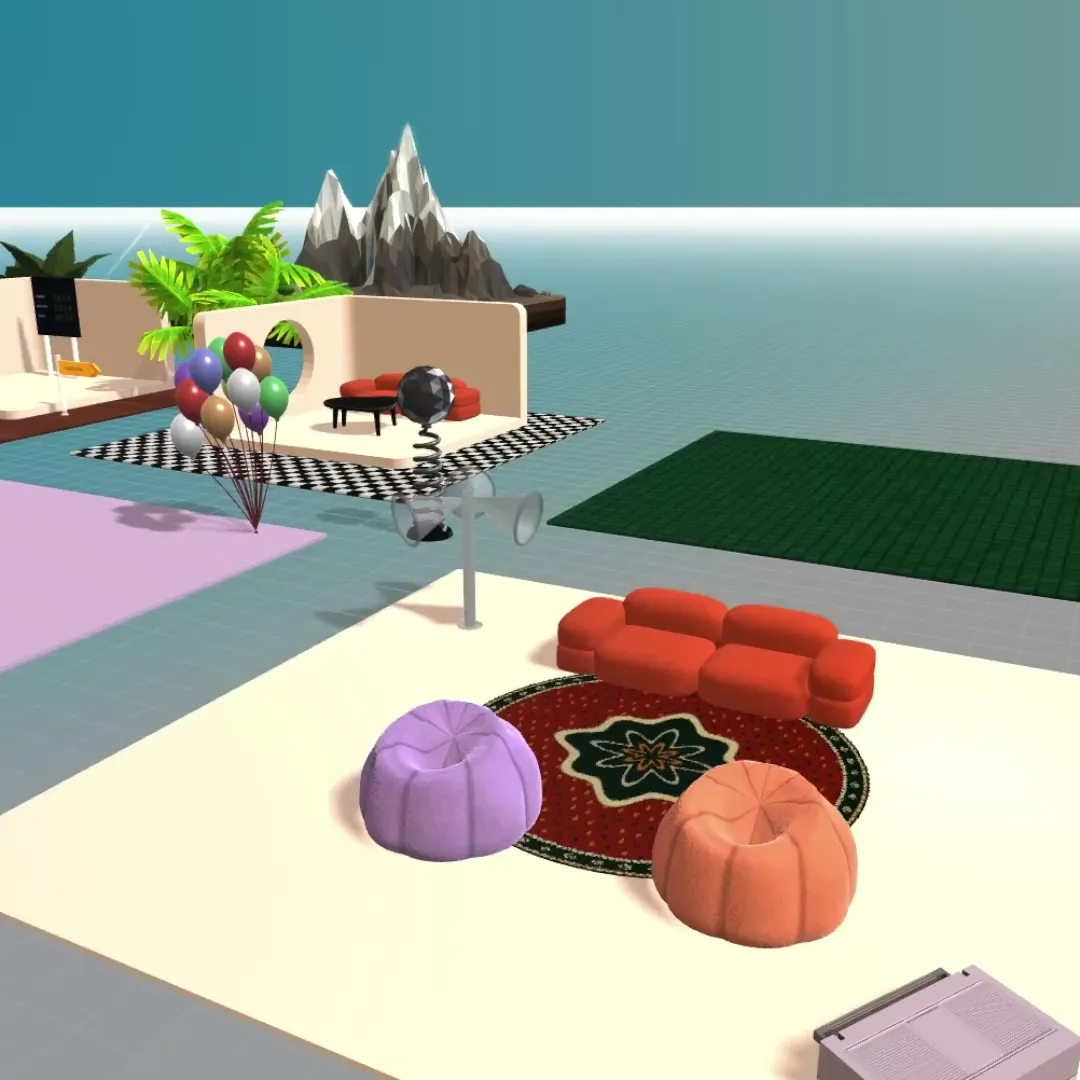
Your office in a minute.
Start from a template, then make it yours. Pick from hundreds of interactive elements and activities, and build your office like in The Sims.
- Open the link
- Check your camera
- You're in
Just one link.
Nothing to install and nothing to schedule. Guests click it and walk in, no account needed.
A chat for every room.
Message the whole space, a single room or one person, without leaving the map.
The right keys for everyone.
Make people admins, moderators, members or guests, and see who is around at a glance.
It's fun, but we got you if you gotta focus too
SpatialChat splits an event into room types: a stage room for the talk, breakout rooms for the mingling. We have the same split at a smaller size. A Conference room puts everyone in it on one screen with screen sharing, slides with live polls and quizzes, and a whiteboard. When the talk ends people walk out onto the map, and the whole space holds up to 100 at once.
Flat.social vs SpatialChat, side by side
SpatialChat's column comes from its own pricing page, help centre and App Store listing, as of November 2026. Its pricing page has five tabs (events, one-day events, virtual office, education, community), so check which package a figure belongs to. Our column matches the pricing page.
Flat.social vs SpatialChat
| Flat.social | SpatialChat | |
|---|---|---|
| Free plan | Yes, 5 people at once, no time limit | Yes, up to 12 participants, 2 hours of meetings a day, 1 space with 4 rooms |
| Paid price | $6 per seat per month | Virtual Office: Business $8, Enterprise $12 per user per month ($76 and $120 per user per year) |
| What you pay for | Concurrent seats you pick (6 to 100), not named users. Drop us an email if you need more than 100. | Concurrent online users in the space |
| 25 people for one month | $150 | $200 on Business, $300 on Enterprise |
| One-off events without a subscription | $2 per seat Day Pass, valid 24 hours | Day Pass $5 per user per day, in steps of 10 users; Event Packs from $400 a day for 50 users |
| Guests can join without an account, if you allow them | Yes, from an invitation link; admins can require an email or a password | |
| Runs in the browser, nothing to install | Yes, Chrome recommended | |
| Spatial (proximity) audio | Yes in Breakout rooms; Stage rooms are listen-only; Workplace rooms have none | |
| Video calls | ||
| Built-in games and activities | Football, Grand Prix racing, surfing, bowling, chess, speed networking | None built in; embeds such as Miro, Google Docs and YouTube |
| Edit the map live, from inside the room | Background images and videos, theme colour, templates | |
| Room types | Open spatial, conference grid, text chat | Breakout, Stage and Workplace rooms |
| Visual style | Delightful low-poly 3D world, seen from above | Video bubbles on a background |
| Max people in one space | 100 self-serve, more on request | 50 per Breakout room; Stage rooms 5,000 (help centre) to 10,000 (pricing page) |
| Open source / self-hosted | ||
| Native desktop app | None mentioned | |
| Mobile | Browser on phones, limited | Mobile browser with limits; an iOS app released in July 2026 |
What the two cost
A 25-person team, one month
A one-day event for 25 people
A one-day event for 100 people
SpatialChat list prices as of November 2026; Flat.social prices from our pricing page.
Both count people online at the same time, so the comparison is like for like. On yearly billing SpatialChat Business is $76 per user, about $158 a month for 25.
Where SpatialChat is the better choice: anything bigger than 100 people. Its stage rooms take up to 12 speakers and an audience in the thousands, and its event plans are sold in tiers up to 10,000 users. Recordings are included in its paid plans. Its site states SOC 2 Type II, and SAML SSO and a Canvas LMS integration sit on the higher plans, which matters to universities and large companies. There is a native iOS app. And a video bubble is simpler than an avatar: an attendee who has never used anything like it understands it in seconds. For a conference, a careers fair or a poster session with hundreds of visitors, SpatialChat was built for the job and Flat.social was not. If the after-party is a smaller affair, bring a few people into a free flat.social space and see how it feels.
Free: up to 5 people in your flat at once. Monthly: $6 per seat per month, from 6 to 100 seats. Day Pass: $2 per seat for a one-off event. A seat is one concurrent spot, not a named user. On a paid plan your flat holds up to 100 people at once, and if you need more, just ask. See pricing and plans & limits.
Walk into a live Flat room
No account, no install. Open the demo room, walk up to someone and hear spatial audio work. Then create your own space, free for 5 people.
SpatialChat pricing, in plain numbers
Read from SpatialChat's pricing page as of November 2026. "User" means a concurrent online user in your space; you can invite as many guests, members and admins as you like.
| Package | Price | What you get |
|---|---|---|
| Free | $0 | Up to 12 participants, 2 hours of meetings a day, 1 space, 4 rooms |
| Virtual Office, Business | $8 per user per month, or $76 per user per year | 5 rooms, 7 recordings |
| Virtual Office, Enterprise | $12 per user per month, or $120 per user per year | 200 rooms, 30 recordings, SAML SSO |
| Day Pass | $5 per user per day, in steps of 10 users | 24-hour access, up to 50 rooms, 2 recordings |
| Event Pack, one day | 50 users $400, 100 $750, 200 $1,400, 300 $2,000, 500 $3,000, 700 $4,100, 1,000 $5,800 | A month of early access, onboarding, a personal manager |
The Virtual Events subscription starts at 50 users and goes up to 10,000. Its page shows $399 and $799 a month before "Talk to Sales", without saying in the text which user tier each belongs to, so we leave those out of the comparisons here.
SpatialChat and Teemyco
SpatialChat's site carries a banner announcing that it has acquired Teemyco, the Swedish floor-plan office. Teemyco is a different kind of product: named rooms on a top-down plan, no bubbles and no proximity audio, at $8 per user per month as of September 2026. We have not seen what the acquisition changes for either product's plans. If you are weighing the two, our Teemyco alternatives page has the detail.
SpatialChat alternatives compared
| Free plan | Paid price | What a seat is | 25 people, one month | Look | |
|---|---|---|---|---|---|
| Flat.social | Yes, 5 people at once, no time limit | $6 per seat per month | Concurrent seats | $150 | Low-poly 3D world seen from above |
| SpatialChat | Yes, 12 participants, 2 hours a day | Office plans $8 or $12 per user per month | Concurrent users | $200 (Business) | Video bubbles on a background |
| Gather | No, 30-day trial | $15 per user per month ($12 annual) | Registered members, plus metered guest hours | $375 | 16-bit pixel art |
| Kumospace | Yes, 5 members, 1 floor | $16 per user per month on annual billing, about $20 monthly | Registered members, 5-member minimum | About $500 | Rendered 2.5D office |
| Roam | No, 14-day trial | $19.50 per active member per month | Active members | $487.50 | 2D floor plan |
| WorkAdventure | Yes, 10 concurrent users hosted; free to self-host | From €8 per user per month | Concurrent users per map | From €200 | 16-bit pixel art |
| oVice | Yes, 5 people at once, one small space | From $78 per space per month (up to 50 at once) | The space, capped by plan | $78 | 2D avatars on a flat layout |
| Cosmos Video | Yes, 4 people online at once | $8.80 per concurrent user per month ($7.70 annual) | Peak concurrent users | $220 | Minimal 2.5D |
| Teemyco | No, 14-day trial | $8 per user per month ($6 annual) | Registered users | $200 | Top-down floor plan |
List prices in US dollars unless a product publishes in euros, read from each product's own pricing page: SpatialChat and Flat.social in November 2026, the others in September 2026. SpatialChat's row is its Virtual Office package. Prices change; check before you buy.
The 7 best SpatialChat alternatives
For each one: who it suits, what it is, the price, and how it compares with SpatialChat. SpatialChat figures are as of November 2026, the others as of September 2026.
1. Flat.social
Hello, this is us again. We love you.
What is flat.social best for? Team socials, classes, community meetups and offices of up to 100 people that want a place to walk around and something to do in it, and want to start free to see if our vibes match.
The one from the top of the page. A 3D world with avatars, proximity audio, meeting rooms, live build mode and games. Free for 5 people at once; $6 per concurrent seat per month; $2 per seat for a Day Pass.
Where it falls short: no native desktop or mobile app yet (phones work in the browser, with fewer features). We're working on this now. Next to SpatialChat there is also a 100-person ceiling on self-serve plans and no stage for thousands.
2. Gather
Best for: teams and communities that want an avatar on a map, in a retro game style.
Gather, still widely called Gather Town, is a 16-bit pixel-art world. Each person steers an avatar and hears whoever is close. It has a desktop app and a map editor called Mapmaker.
Price: $15 per user per month, $12 on annual billing, for every registered member, with guest hours metered. A 30-day trial and no free plan.
SpatialChat vs Gather: the same proximity rule in two very different wrappers. SpatialChat shows faces first, as bubbles on a picture. Gather shows a little character on a pixel-art map (cute, though you can't tell who's had a haircut). SpatialChat has a free plan and Gather does not. For a 25-person office SpatialChat is $200 a month for 25 concurrent users, and Gather is $375 for 25 registered members whether or not they show up. SpatialChat's stage rooms reach thousands; Gather lists 100 people per space. Gather gives you far more control over the space itself. More in our Gather alternatives list.
3. Kumospace
Best for: teams that want a daily office that looks like one (the kind a finance director nods at), with desktop and mobile apps.
Kumospace draws office floors in rendered 2.5D, with sofas, desks and meeting rooms, and an avatar you move between them with spatial audio.
Price: free for up to 5 registered members on 1 floor. Business is $16 per user per month on annual billing, about $20 month to month, with a 5-member minimum.
SpatialChat vs Kumospace: Kumospace is an office product first, where SpatialChat is an events product with an office package. Kumospace costs more than twice as much for 25 people (about $500 a month against $200) and bills registered members, where SpatialChat bills concurrent users. Both have free plans with different catches: five registered members on Kumospace, twelve participants and two hours a day on SpatialChat. Kumospace gives you a furnished floor to arrange. SpatialChat gives you stage rooms and a published price per day. More in our Kumospace alternatives page.
4. Roam
Best for: companies that want a big-audience room and their daily office from the same vendor.
Roam (also written Ro.am) is a floor plan of offices and meeting rooms that you click into, bundled with messaging, AI meeting summaries and a Theater for up to 10,000 attendees. It runs as native apps on desktop and mobile, and Theater attendees join in a browser.
Price: $19.50 per active member per month, billed monthly. A 14-day trial and no free plan. Guests are free.
SpatialChat vs Roam: these are the two products on this page that can seat thousands. Roam includes its Theater in the member subscription and does not charge guests, so a company already paying for Roam hosts its all-hands at no extra cost. SpatialChat sells event capacity on its own, by the day or by the month, so you can run a conference without a company-wide subscription. For a 25-person office Roam is $487.50 a month and SpatialChat $200 (nobody picks Roam to save money). Roam has no proximity audio; mingling in bubbles is SpatialChat's whole idea. More in our Roam alternatives page.
5. WorkAdventure
Best for: events and offices that must be open source or run on your own servers (a spare laptop in the hallway will do).
WorkAdventure is an open-source pixel-art world with proximity audio. You can use the hosted version or deploy it yourself, and maps are made in the Tiled editor.
Price: hosted, free for up to 10 concurrent users. Business from €8 per user per month. An Event plan from €4 per user per day. No licence fee if you self-host.
SpatialChat vs WorkAdventure: both publish a per-day event price, which few products do: from €4 per user on WorkAdventure, $5 per user on SpatialChat. Both bill concurrent users and both let visitors in without an account. WorkAdventure is open source under AGPL v3 with Commons Clause; SpatialChat is a hosted service only. The trade is effort. A SpatialChat room is a background image you upload. A WorkAdventure map is built in a map editor. SpatialChat has the stage for thousands. More in our WorkAdventure alternatives page.
6. oVice
Best for: groups that want one flat price for a room of up to 50 or 200 people.
oVice, from Japan, is a 2D space where avatars sit on a flat layout and hear each other by distance. It has desktop, smartphone and tablet apps.
Price: free for 5 people at once in one small space. Entry-S is $78 per space per month ($65 annual) for up to 50 people at once. Entry-M is $294 ($245 annual) for up to 200. One-time passes start at $35 for a one-week Meetup pass.
SpatialChat vs oVice: oVice prices the room and SpatialChat prices the people in it, a bit like hiring a hall against selling tickets. Fifty people online together cost $78 a month on oVice Entry-S and 50 × $8 = $400 on SpatialChat Business. For a short event, oVice's one-week Meetup pass starts at $35, where a SpatialChat Day Pass for 10 users is $50 for a single day. SpatialChat's free plan is the more generous (12 participants against 5), within its two hours a day. SpatialChat goes much higher at the top end, with stage rooms for thousands where oVice's entry plans stop at 200. More in our oVice alternatives page.
7. Cosmos Video
Best for: small teams that want a quiet virtual office in the browser and nothing more.
Cosmos Video is a minimal 2.5D office from the UK that runs in Chrome, Edge and Firefox, with two preset styles.
Price: free for 4 people online at once. Premium is $8.80 per concurrent user per month, $7.70 on annual billing, for up to 150 people in a space.
SpatialChat vs Cosmos Video: the two bill the same way, on concurrent users, at nearly the same price: $220 against $200 a month for 25. Cosmos is free for four people online at once; SpatialChat is free for twelve for two hours a day. Cosmos is an office with avatars and has no event pass. SpatialChat is the one to pick when the calendar holds a conference as well as the weekly meeting. Neither has games built in. More in our Cosmos Video alternatives page.
Give a social something besides small talk
A room full of video bubbles asks everyone to make conversation. Some people love that and many go quiet. In Flat.social a social can start with a football match with a live scoreboard (it's hard to stay awkward after scoring a goal), a Grand Prix race, a maze run or a round of timed speed networking that pairs people up for you. The games are part of the map and run on a physics engine, so nobody shares a screen or opens another site.
Free SpatialChat alternatives
SpatialChat has a free plan: up to 12 participants, 2 hours of meetings a day, one space with four rooms. These are the other free plans in the category, with the limit each one publishes:
- Flat.social: 5 people in the space at once, with no time limit of any kind, your own maps included.
- WorkAdventure: 10 concurrent users on the hosted plan, or free to self-host.
- oVice: 5 people at once in one small space.
- Kumospace: 5 registered members on 1 floor.
- Cosmos Video: 4 people online at once.
All five take fewer people than SpatialChat's twelve. Which limit hurts less depends on the group: a study group of four that meets for a whole afternoon is better off on Flat.social, where there is no clock, and a twelve-person standup of twenty minutes fits SpatialChat's free plan as it is. Gather and Roam offer trials only. More in free virtual office options.
How to choose
- An event for more than a few hundred people: stay on SpatialChat, or use Roam's Theater if you are already a Roam customer. We'd love to host it, but we'd be fibbing.
- A social, class or meetup for up to 100: Flat.social, for the $2 Day Pass, the games and the map.
- A daily office for a small team: Flat.social or Cosmos Video on concurrent seats, or oVice on a flat price per space.
- An office that looks corporate: Kumospace.
- Open source or self-hosted: WorkAdventure.
- A pixel-art world with an avatar: Gather.
- People who will not touch an avatar: stay with bubbles. SpatialChat does that well.
Before you commit an event to any of them, run a rehearsal with ten people on different laptops and networks (including the colleague on hotel wifi). It shows more than a feature list does.
For more event formats, see virtual team building activities. For tools beyond spatial rooms, see the best virtual office tools.
SpatialChat alternatives: common questions
Give your team a space to walk around
Spatial audio, built-in games, live build mode and one link for guests. Free for 5 people, $6 a seat after that. Set-up takes about a minute.