Speed networking
Timed rounds that reshuffle people into private groups so everyone meets someone new.
Last updated:
How does speed networking work in flat.social?
You place a Speed Dating Banner in an Open Spatial room that has private rooms or pods. When a session starts, flat.social splits everyone in the room into small groups, teleports each group into its own audio-isolated space, and reshuffles the groups every round. It keeps track of who has met, so each round brings new faces.
Groups meet inside audio-isolated elements: anything with the Private audio badge, such as rooms, pods, and stages. Without any, the banner warns "This map has no audio-isolated rooms yet. Add rooms or pods in build mode — that's where the groups will meet." and Start speed dating stays disabled. See Audio isolated rooms.
How to run speed networking
- 1Add pods or rooms
In build mode, place a few Pods or rooms from Rooms & Stages. For one-on-one chats, add at least one pod for every two people you expect.
- 2Place the banner
Open Signs & Media and place the Speed Dating Banner ("Run timed speed-dating rounds in the room's pods") somewhere central. Each room can have one.
- 3Open the banner
Leave build mode, walk up to the banner, and press Enter ("Press Enter to start speed dating"). On a phone, tap the prompt.
- 4Pick the timing
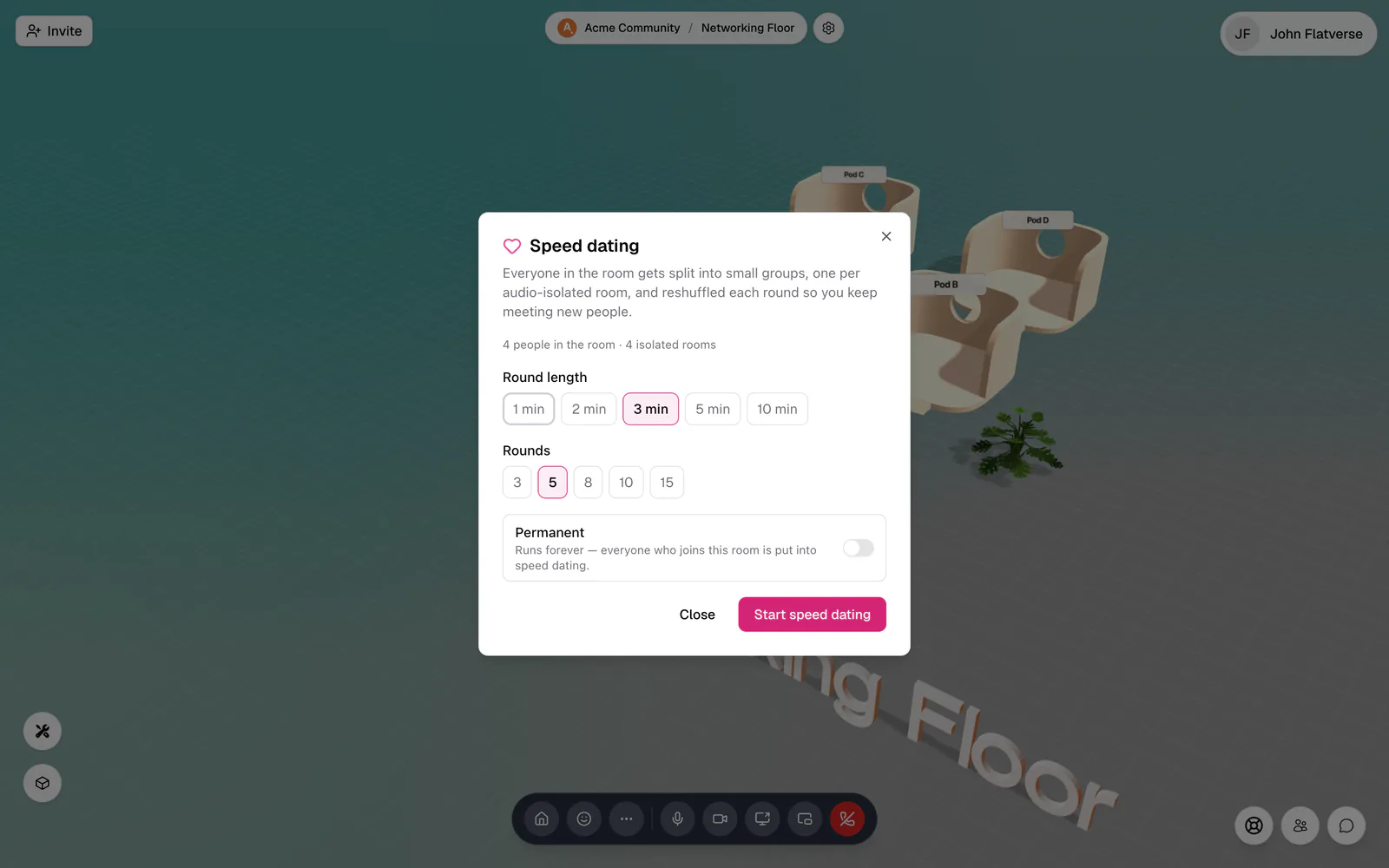
Choose a Round length (1, 2, 3, 5, or 10 min) and the number of Rounds (3, 5, 8, 10, or 15). The dialog shows how many people and isolated rooms it will use.
- 5Start
Click Start speed dating. After a few seconds, round 1 begins and everyone is moved into their groups.
What happens during a round?
Everyone in the room takes part, including whoever started it. Each round:
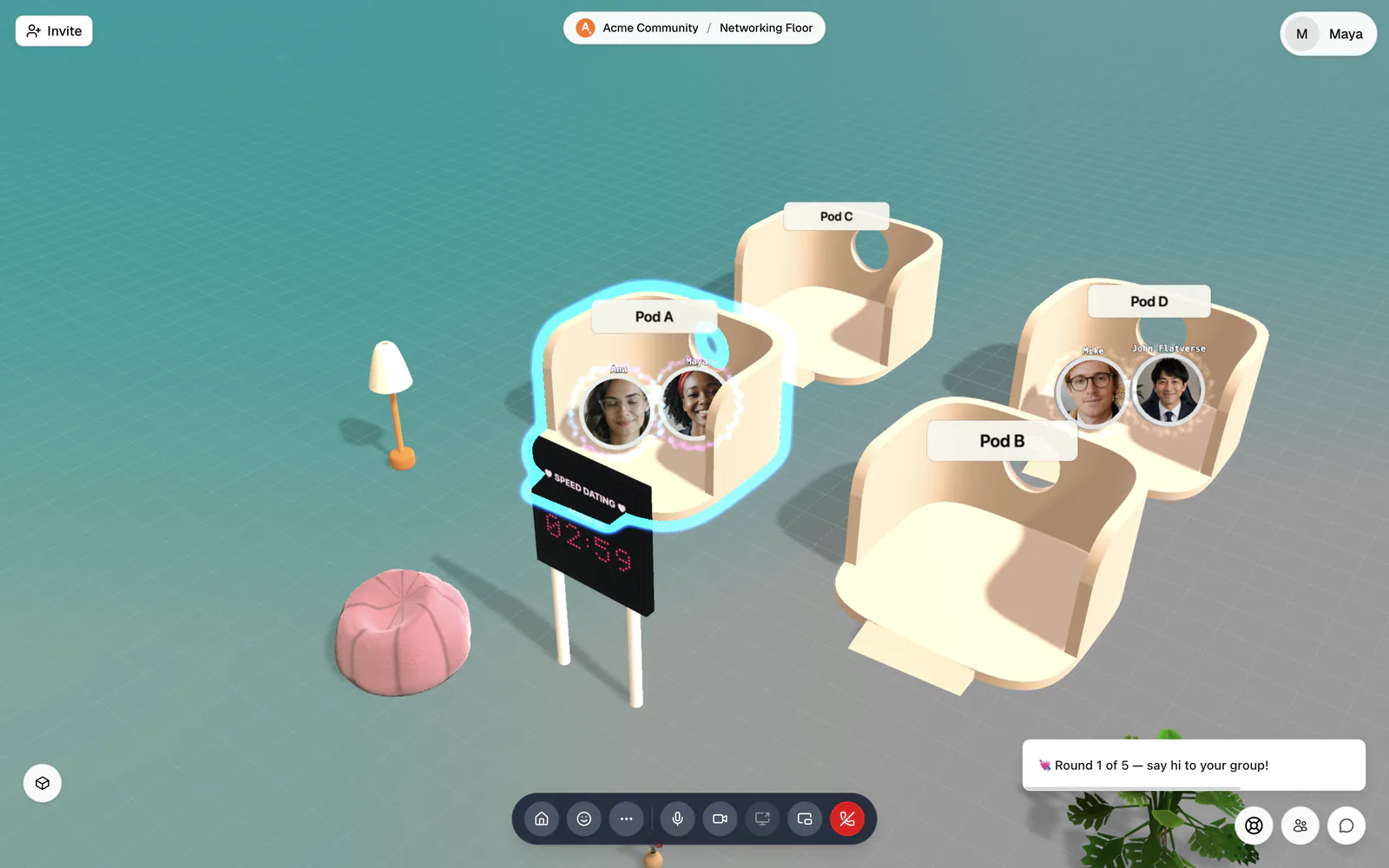
- flat.social splits the room into groups of roughly equal size, one group per isolated space, and teleports them in. A toast says "💘 Round 1 of 5 — say hi to your group!"
- Inside, each group only hears and sees each other.
- Ten seconds before the end, everyone sees "⏳ Round ends in 10 seconds…"
- The next round reshuffles the groups, favouring people who haven't met yet.
The banner shows the round number and a countdown the whole time. When the last round ends, everyone is brought back to the banner and sees "💜 Speed dating finished — thanks for playing!"
How big are the groups?
Groups are as small as your spaces allow, and nobody is ever alone. With 8 people and 4 pods you get four pairs. With 8 people and 2 pods you get two groups of four. More pods means smaller, more personal groups.
People arriving or leaving mid-round
- Late arrivals are put straight into the smallest group: "💘 Speed dating is running — we put you in a group".
- If someone leaves and their partner is left alone, that person is moved to another group: "Your group left — we moved you to another one".
- If fewer than two people remain, the session pauses with "Speed dating is waiting for more people…" and picks up again when someone joins.
Stop early
Walk up to the banner ("Speed dating — press Enter for details") to see the current round and time left, then click Stop speed dating. Everyone is brought back to the banner and sees "{name} stopped speed dating".
Permanent mode
People with Build Map see a Permanent switch in the dialog: "Runs forever — everyone who joins this room is put into speed dating." There's no round limit, and it keeps running after the room restarts. Use it for a dedicated networking room. Only people with Build Map can stop a permanent session; others see "This room runs speed dating permanently — only people who can build here can stop it."
Placing the banner needs Build Map, but once it is in the room, anyone can open it and start or stop timed rounds. Keep the banner in a room meant for networking, or remove it after your event. Permanent mode is the exception: only builders can turn it on or off.