Audio isolated rooms
Private spaces inside a room, where only the people inside can hear each other.
Last updated:
What is an audio isolated room?
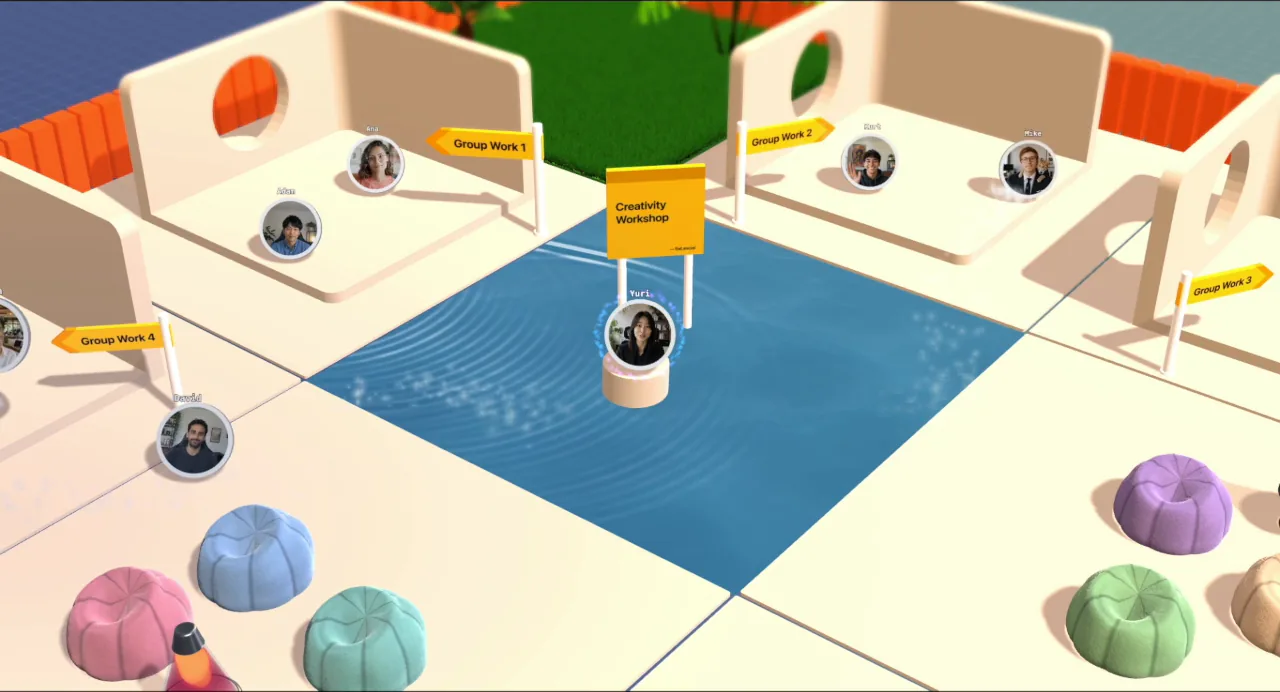
An audio isolated room is an enclosed area inside an Open Spatial room that has its own private audio. When you step inside, you only hear the people who are also inside, and people outside cannot hear you. It is like walking into a meeting room and closing the door.
How does audio isolation work?
Normally flat.social uses spatial audio: voices get louder as you walk closer and fade as you walk away. An isolated room changes that. Each isolated area has an invisible boundary, and your audio is grouped by which side of it you are on.
The rules are simple:
- Step inside an isolated room and you hear and see only the others inside it.
- People outside cannot hear anyone inside or receive their cameras, and the inside group cannot hear the outside.
- Screen shares inside an isolated room stay inside it too.
- Walk back out and you rejoin the open room.
Isolation decides who is in your audio group; spatial audio still works within it. Inside a large isolated room you can still drift out of earshot, so stand near the people you are talking to.
When to use isolated rooms
Isolated rooms turn one Open Spatial room into many conversations that will not bleed into each other. They are great for:
- Breakout rooms during a workshop or class
- Meeting rooms and quiet 1:1 corners at a networking event
- Booths at a virtual fair, so each booth has its own conversation
- Focus pods in a virtual office
Because people move themselves in and out, nobody has to be assigned or moved by a host. They just walk in.
How do I add an isolated room?
Isolation comes with the elements in the Rooms & Stages category of the build mode library. Place one and anyone who steps inside its walls enters the private audio space. The category includes:
- Room in many door and window variants, plus Round Room
- Pod: a small booth you can shape (Round, Square, or Blob) and size, with windows, glazing, an opening, and a name plate
- Floored Room: one or two floors, each isolated on its own
- Stages: Theatre, Lecture Hall, Cinema, Minimal, Business, and Festival halls for talks (see Host a talk on a stage)
Pods and Floored Rooms have an Audio isolation switch in their settings, on by default, so you can also use them as open booths.
What isolated rooms unlock
Some features build on isolated rooms:
- Activities in pods: stand inside a pod or isolated room and pin a whiteboard, standup, slides, or a mini call to it. See Activities.
- Speed networking pairs people up in isolated rooms, so your map needs some. See Speed networking.
- Stages are isolated halls, so a talk, its screen share, and any YouTube video stay inside.
Crossing the boundary switches your audio group right away, so the change is a clean cut rather than a slow fade. There is no on-screen line marking the boundary, so isolated areas have visible walls to make the edge obvious. A megaphone does not carry into or out of an isolated room.