Organize your lobby
Group rooms into categories, reorder them, and feature the live ones.
Last updated:
What is the lobby in flat.social?
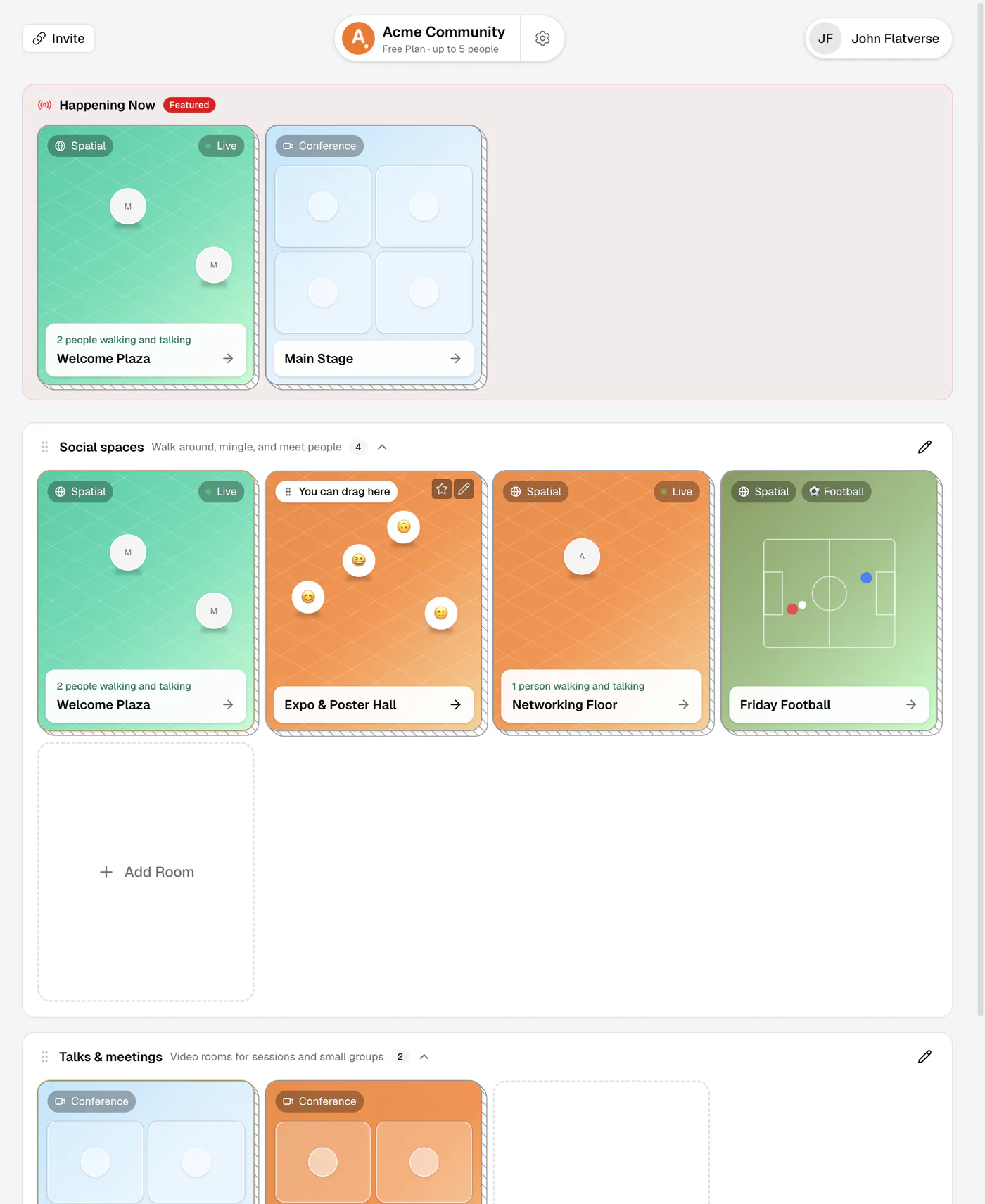
The lobby is the landing page of your flat, where people arrive and pick a room. Rooms appear as cards grouped into categories, with a Happening Now section on top for the rooms you want to spotlight.
How do I organize my flat lobby?
You organize the lobby right in the lobby: add and edit categories, drag room cards around, and star the rooms you want to feature. Changes save automatically about a second after you make them. You need the Edit Rooms permission, which also covers managing lobby categories and featured rooms.
A tidy lobby matters most at busy events: when 60 people land at once, clear sections and a Happening Now highlight tell them where to go. If you have not added rooms yet, start with Create & configure rooms.
How to organize your lobby
- 1Add a category
Click Add Category below your categories. A new category called "New Category" appears.
- 2Name and style it
Click the pencil on the category header to open Edit Category. Set the Name, an optional Description, and a Color tint, then click Save Changes.
- 3Drag rooms into place
Drag room cards within a category or into another one; hovering shows a "You can drag here" hint. Drag the grip on a category header to reorder whole categories.
- 4Feature your live rooms
Hover over a room card and click the star (Feature this room). It appears in Happening Now at the top of the lobby with a Featured badge.
Group rooms into categories
Categories are named sections that hold related rooms. Each has a name, an optional description, and a color tint. Picture a conference lobby split into "Main Stage", "Workshops", and "Networking". Categories can be collapsed, show how many rooms they hold, and end with an Add Room card so new rooms land in the right place.
New flats come with categories that fit their use case. Deleting a category moves its rooms into the first remaining category; the rooms are not deleted.
Feature rooms with Happening Now
Featured rooms appear in Happening Now at the top of the lobby. Feature your keynote room when the talk starts, then switch the spotlight to the networking floor afterward. To remove a room from the section, hover over it and click Unfeature. Featured cards can be dragged to change their order.
When nothing is featured, editors see a hint to click the ☆ on any room; guests don't see an empty section.
Live signals on room cards
Room cards update on their own. A room with people in it shows a Live tag and a line like "3 people walking and talking", and default card covers show who is inside. The same categories and Happening Now section also appear in the room switcher inside every room (click the flat and room name at the top of the screen), so people can hop between rooms without going back to the lobby.
Drag your active room to the top of its category so latecomers spot it first. Pair this with announcements to point everyone in the right direction.