7 best Teamflow alternatives in 2026, free and paid
Teamflow's website is still online, but its apps were last built in December 2022 and its help centre no longer loads. If you want a virtual office that is being worked on, our pick is Flat.social, free for 5 people at once. Six more maintained alternatives follow, each compared with what Teamflow lists, in case our vibes don't match.
Free up to 5 people, no credit card required
Teamflow was the first virtual office a lot of remote teams ever tried, and the idea behind it is a good one. Your camera feed sits in a bubble on an office floor, you drag the bubble next to a colleague to talk, and documents and whiteboards stay open in the room between meetings. A second version of it was sold to sales teams as a virtual sales floor. Its site still lists $20 per employee per month on Seed and $30 on Business, with a free plan for up to 5 employees.
Most people who search for Teamflow alternatives in 2026 are asking a practical question: is anyone still looking after this product, and if not, where should the team go? So this page comes in two halves, after one careful note. The note goes first: what we could check about Teamflow's status, and nothing we couldn't. Then you meet flat.social, the Teamflow alternative we build, and after that six more that are actively maintained, each compared with what Teamflow lists.
Is Teamflow shut down?
We do not know, and Teamflow has not said. Here is what we could verify on 16 November 2026:
- Teamflow's website and sign-up form are still online.
- Its Mac and Windows desktop apps still download, and both files were last built in December 2022.
- Its help centre, changelog and status page no longer load, and the Android app link on its download page leads to a missing store listing. The iPhone app is offered only as a TestFlight beta.
- The website was last published in January 2024.
- Teamflow has not published a shutdown notice, and its prices are still listed.
We did not create an account, so we cannot say whether a new office works once you sign up. Our reading is cautious: nothing on Teamflow's own pages shows maintenance in the last two years, and a buyer today cannot open the documentation or see an uptime record. If your team depends on its virtual office every day, that is reason enough to line up a replacement.
Let's get to it.
Our answer: flat.social :)
We've been cooking this one for a while. Our mission? Make remote work feel more... human. We want to give your team the most delightful virtual office, one they will love both for collaboration and for hanging out.
Over 33 thousand people have spent time socializing and collaborating in virtual spaces on flat.social. Remote teams, online schools and communities loved it and have already created close to 800 virtual spaces!
- spaces created
- 785
- people hung out
- 33,000+
- countries
- 141
Why flat.social?
- It is being worked on. Flat.social is in active development, and the product you sign up for today is the current one. Teamflow's newest desktop build dates from December 2022.
- Free, and nobody's timing you. 5 people at once, no time limit, no card. Teamflow's listed free plan covers up to 5 employees with meetings of 45 minutes.
- Seats, not staff, at a fraction of the listed price. $6 per concurrent seat per month, and you buy the number of people who can be inside together. Teamflow still lists $20 per employee per month on Seed and $30 on Business, billed monthly, and its listed plans charge per employee.
- You get legs. In place of a video bubble on a floor plan, you walk a character through a low-poly 3D map and hear people as you get close. Your camera is still there when you want it. The map is yours to rebuild from inside the room, football pitch and go-kart track included if that's your team.
- Guests just walk in. Anyone with the link types a name and they're inside, with no account. Teamflow's listed plans cap guests at 10, 15 or 25 at a time.
- A one-off event has a price. A Day Pass is $2 per seat for 24 hours. Teamflow lists no event or day pricing.
Is flat.social for everyone coming from Teamflow? No. If the thing you loved was Figma, Salesforce and Asana open inside the room, or you ran a sales floor with dialers plugged in, we might not be your vibe: we have whiteboards and screen sharing, and nothing aimed at sales teams. If you want your face back in a bubble, SpatialChat is closer to what you had. If you want a lively place where the team runs into each other again, come on in.
What is the best Teamflow alternative?
For teams that want a maintained replacement for Teamflow, the best alternative is Flat.social: a browser-based virtual office where avatars walk up to each other and talk, with meeting rooms, whiteboards, screen sharing and games in the room (the whiteboards stay put, the football doesn't). It is free for 5 people at once with no time limit and $6 per concurrent seat per month after that. Teams that want to keep Teamflow's video bubbles should look at SpatialChat, and teams that want a quiet floor plan should look at Teemyco.
The Teamflow habit, kept: work stays in the room
The Teamflow pitch was the room that remembers: what you opened in a meeting space stayed there for next time. Flat.social keeps the part of that it can. Whiteboards, sticky notes and billboards are objects you place on the map, so they stay where the team left them (yes, including the sticky notes from last sprint that nobody dares take down). Gather round one, share a screen next to it, and stay as long as the work takes. The free plan has no meeting limit.
What's in the box?

Bump into a colleague again.
No invite, no link. Walk over and talk, and hear the people near you. Voices fade with distance, so groups form the way they do at a cocktail party.

Friday socials people turn up to.
Set up the space once and send the link. People drift between games, the bonfire and small groups without anyone hosting.
Your office in a minute.
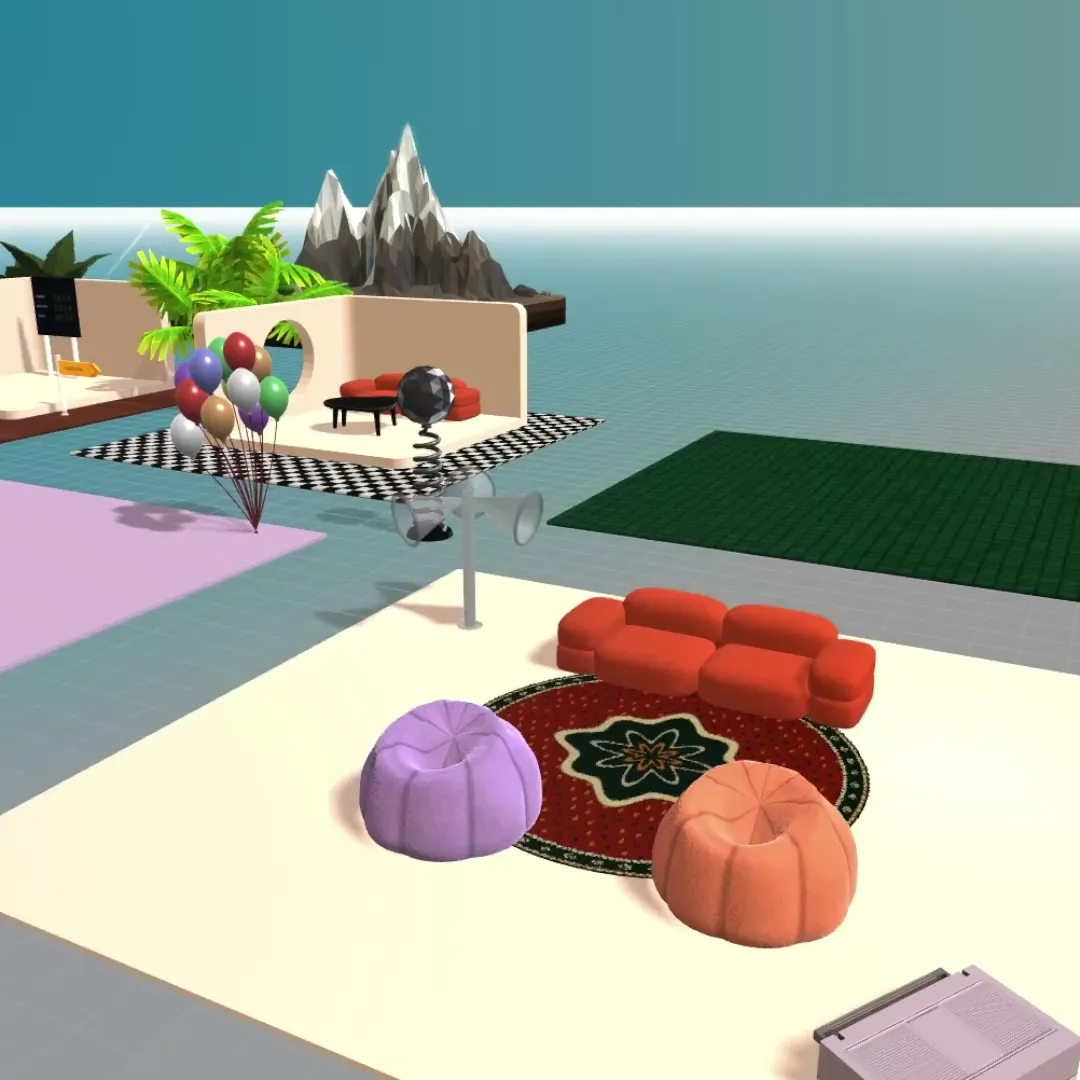
Start from a template, then make it yours. Pick from hundreds of interactive elements and activities, and build your office like in The Sims.
- Open the link
- Check your camera
- You're in
Just one link.
Nothing to install and nothing to schedule. Guests click it and walk in, no account needed.
A chat for every room.
Message the whole space, a single room or one person, without leaving the map.
The right keys for everyone.
Make people admins, moderators, members or guests, and see who is around at a glance.
It's fun, but we got you if you gotta focus too
A Teamflow floor had meeting rooms on it, so the weekly call happened in the office. We keep that. Walk into a Conference room and the whole group is on one screen with screen sharing, slides and a whiteboard, and everyone hears the presenter. Walk back out and you are on the map again, and the whole space holds up to 100 people at once.
Flat.social vs Teamflow, side by side
Teamflow's column is what its website still listed in November 2026. Those pages are undated and the site was last published in January 2024, so read each cell as "listed", not as confirmed for a new customer. Our column matches the pricing page.
Flat.social vs Teamflow
| Flat.social | Teamflow | |
|---|---|---|
| Free plan | Yes, 5 people at once, no time limit | Listed: up to 5 employees, 45-minute meetings, 10 guests at a time |
| Paid price | $6 per seat per month | Listed: Seed $20, Business $30 per employee per month ($15 and $25 billed yearly) |
| What you pay for | Concurrent seats you pick (6 to 100), not named users. Drop us an email if you need more than 100. | Per employee; guests are capped by how many are in at once |
| 25 people for one month | $150 | Listed: $500 on Seed, $750 on Business |
| One-off events without a subscription | $2 per seat Day Pass, valid 24 hours | None listed |
| Guests can join without an account, if you allow them | Guests are supported; whether they need an account is not published | |
| Runs in the browser, nothing to install | Browser, plus Mac and Windows apps last built in December 2022 | |
| Spatial (proximity) audio | ||
| Video calls | ||
| Built-in games and activities | Football, Grand Prix racing, surfing, bowling, chess, speed networking | Not published |
| Visual style | Delightful low-poly 3D world, seen from above | Video bubbles on an office floor plan |
| Max people in one space | 100 self-serve, more on request | 200 per floor, as listed |
| Open source / self-hosted | ||
| Native desktop app | Mac and Windows, last built December 2022 | |
| Mobile | Browser on phones, limited | iOS as a TestFlight beta; the Android store listing no longer loads |
What the two cost
Teamflow figures are the prices still listed on its site as of November 2026.
25 people, one month
A 60-person company with about 20 people online together
A one-off event for 100 people
Teamflow prices as still listed on its site in November 2026; Flat.social prices from our pricing page.
Where Teamflow is the better choice, going by what it published: apps inside the room. Its site describes Asana, Salesforce, Figma and Google Docs embedded in the office with shared cursors and several screen shares at once, which goes further than the whiteboards and screen sharing in Flat.social. Its Sales Floor edition lists integrations with the dialers Aircall, Salesloft and Outreach, and we have nothing aimed at sales teams. It lists 200 people per floor against our 100 per space, and it has installed desktop apps where Flat.social runs in the browser. If your Teamflow office is running and the team is happy in it, the product idea is not the problem. The open question is whether anyone will fix it when something breaks.
Free: up to 5 people in your flat at once. Monthly: $6 per seat per month, from 6 to 100 seats. Day Pass: $2 per seat for a one-off event. A seat is one concurrent spot, not a named user. On a paid plan your flat holds up to 100 people at once, and if you need more, just ask. See pricing and plans & limits.
Walk into a live Flat room
No account, no install. Open the demo room, walk up to someone and hear spatial audio work. Then create your own space, free for 5 people.
Teamflow virtual office: what it was built to do
For readers who are comparing from memory, this is how Teamflow's own site describes the product.
The office. Each person's video appears in a bubble on an office floor. You only hear people near you, and you drag your bubble onto someone to start talking. Up to 200 people fit on a floor.
Apps in the room. Documents, design files and trackers open inside the space and stay there, so a project room keeps its context between meetings.
The plans still listed. Free for up to 5 employees with 45-minute meetings. Seed at $20 per employee per month, or $15 billed yearly, with unlimited meeting time. Business at $30, or $25 billed yearly. A Sales Floor edition at $20 per user per month. The paid plans list a 7-day free trial.
What that tells you about a replacement. Teamflow did three jobs: presence (seeing who is around), proximity conversations, and persistent project rooms. Few products are equally good at all three, so decide which one your team would miss most before you read the list.
Teamflow alternatives compared
| Free plan | Paid price | What a seat is | 25 people, one month | Look | |
|---|---|---|---|---|---|
| Flat.social | Yes, 5 people at once, no time limit | $6 per seat per month | Concurrent seats | $150 | Low-poly 3D world seen from above |
| Teamflow | Listed: 5 employees, 45-minute meetings | Listed: $20 or $30 per employee per month | Employees | $500 (Seed) | Video bubbles on a floor plan |
| Gather | No, 30-day trial | $15 per user per month ($12 annual) | Registered members, plus metered guest hours | $375 | 16-bit pixel art |
| SpatialChat | Yes, 12 participants, 2 hours a day | Office plans $8 or $12 per user per month | Concurrent users | $200 (Business) | Video bubbles on a background |
| Kumospace | Yes, 5 members, 1 floor | $16 per user per month on annual billing, about $20 monthly | Registered members, 5-member minimum | About $500 | Rendered 2.5D office |
| Roam | No, 14-day trial | $19.50 per active member per month | Active members | $487.50 | 2D floor plan |
| Teemyco | No, 14-day trial | $8 per user per month ($6 annual) | Registered users | $200 | Top-down floor plan |
| SoWork | Yes, 10 members, meetings up to 30 minutes | Basic $6, Premium $15 per member per month | Registered members | $150 (Basic), $375 (Premium) | Isometric 2.5D |
List prices in US dollars, read from each product's own pricing page: Flat.social, SpatialChat and Teamflow in November 2026, the others in September 2026. Teamflow's row is what its site still lists; see the status note above. Prices change; check before you buy.
The 7 best Teamflow alternatives
For each one: who it suits, what it is, the price, and how it compares with Teamflow as listed. All seven were on sale with current published prices when we read their sites in 2026.
1. Flat.social
Hello, this is us again. We love you.
What is flat.social best for? Teams that want presence, walk-up conversations and a place for socials in one browser link, and want to start free to see if our vibes match.
Same product as further up. A 3D world with avatars, proximity audio, meeting rooms, whiteboards on the map, live build mode and games. Free for 5 people at once; $6 per concurrent seat per month up to 100; $2 per seat for a Day Pass.
Where it falls short: no native desktop or mobile app yet (phones work in the browser, with fewer features). We're working on this now. Next to Teamflow as published, there is also no embedded Figma, Salesforce or Asana in the room and no sales-floor edition.
2. Gather
Best for: teams that want proximity conversations and do not mind trading the video bubble for a game character.
Gather, often still called Gather Town, is a 16-bit pixel-art office. Each person steers an avatar and hears whoever is nearby. It has a desktop app and a map editor, Mapmaker.
Price: $15 per user per month, $12 on annual billing, for every registered member, with guest hours metered. A 30-day trial and no free plan. As of September 2026.
Teamflow vs Gather: both are built on the same rule, that you hear the people near you. Teamflow put your face in a bubble on a clean office plan. Gather puts a pixel character on a map, which some teams find charming and others find childish (we're in the charming camp). On price Gather is lower than Teamflow's listed rates: $375 a month for 25 people against $500 on Seed. Teamflow lists a free plan for five employees and Gather has only a trial. Both charge for every person on the member list, online or not. Gather has no mobile app. More in our Gather alternatives list.
3. SpatialChat
Best for: teams that want to keep exactly what Teamflow looked like: faces in bubbles that you drag towards each other. Your dragging hand won't need retraining.
SpatialChat uses the same picture as Teamflow. Each person is a video bubble on a background, and in its Breakout rooms sound follows distance. It is an events product first, with stage rooms for large audiences, and it sells a Virtual Office package beside that. Its changelog and its iOS app both show updates in 2026.
Price: free for up to 12 participants with 2 hours of meetings a day. Virtual Office is $8 per user per month on Business and $12 on Enterprise, counted on concurrent users. As of November 2026.
Teamflow vs SpatialChat: the nearest match in look and the furthest in price. Twenty-five concurrent users cost $200 a month on SpatialChat Business, against Teamflow's listed $500 for 25 employees. SpatialChat counts people online together; Teamflow's plans count employees. For Teamflow's apps in the room, SpatialChat offers embeds such as Miro, Google Docs and YouTube. One thing to test: SpatialChat's Workplace rooms do not use spatial audio, so if walk-up conversations are what you are keeping, set the office up with Breakout rooms, which hold 50 people each. More in our SpatialChat alternatives page.
4. Kumospace
Best for: companies that want a polished office their managers will accept, with desktop and mobile apps.
Kumospace draws office floors in rendered 2.5D with furniture and meeting rooms, and you move an avatar between them with spatial audio.
Price: free for up to 5 registered members on 1 floor. Business is $16 per user per month on annual billing, about $20 month to month, with a 5-member minimum. As of September 2026.
Teamflow vs Kumospace: a team that budgeted for Teamflow will find Kumospace familiar. Month to month it is about $500 for 25 people, the same as Teamflow's listed Seed plan, and on annual billing about $400 against $375. Both have a free tier for five. Both are aimed at companies more than at communities. The difference is the avatar and the furnished floor in place of the bubble, and apps on phones, which Teamflow only ever offered as betas. More in our Kumospace alternatives page.
5. Roam
Best for: companies that ran their whole day in Teamflow and want meetings, chat and the office from one vendor again.
Roam (also written Ro.am) shows a floor plan of offices and meeting rooms. You click into a room to talk. Messaging, AI meeting summaries and a Theater for up to 10,000 people come in the same native apps, on desktop and mobile.
Price: $19.50 per active member per month, billed monthly. A 14-day trial and no free plan. Guests are free. As of September 2026.
Teamflow vs Roam: almost the same price as Teamflow's listed Seed plan: $487.50 a month for 25 active members against $500. Roam charges only members who were active that month and does not charge guests, where Teamflow's plans cap guests by number. What changes is how you talk. Roam has no bubbles and no proximity audio; a conversation is a room you enter (no drifting, only doors). It suits teams that used Teamflow as a tidy map of who is where, and it will disappoint teams that loved drifting between groups. More in our Roam alternatives page.
6. Teemyco
Best for: teams that mostly used Teamflow to see who is around and jump into a room.
Teemyco, from Sweden, is a top-down floor plan with named rooms and a click to join. It has apps for macOS, Windows, Linux, iOS and Android.
Price: one plan at $8 per user per month, $6 on annual billing, for every registered user. A 14-day trial and no free plan. As of September 2026.
Teamflow vs Teemyco: Teemyco is presence without proximity. You get the floor plan and the rooms at well under half of Teamflow's listed price ($200 a month for 25 people against $500), with phone and Linux apps. You do not get bubbles you drag together, and it has no free plan to match Teamflow's listed tier for five. Its pricing page lists Slack and calendar integrations. SpatialChat's site announces that it has acquired Teemyco, so ask either vendor how the two will be sold from here. More in our Teemyco alternatives page.
7. SoWork
Best for: teams that want a low price, a free plan for ten and apps on every device.
SoWork is an isometric 2.5D office with avatars and proximity audio. It generates the map with AI and has apps for Windows, Mac, iOS and Android.
Price: free for up to 10 members with meetings capped at 30 minutes. Basic is $6 per member per month ($5.40 annual), Premium $15 ($12 annual). As of September 2026.
Teamflow vs SoWork: SoWork's free plan takes twice as many people as Teamflow's listed one, with a shorter meeting cap (30 minutes against 45). Paid, SoWork Basic is $150 a month for 25 people and Premium $375, against Teamflow's listed $500 and $750. Both bill by headcount. SoWork is an avatar world, so it feels more like a game than Teamflow's plain office floor did. More in our SoWork alternatives page.
A reason to keep the office open all day
A virtual office only works when people leave it open in a tab, and they only do that if there is a reason to look in. A Flat.social space has a lounge, a football pitch, a chess board and colleagues you can hear as you walk past, so it is somewhere to be between meetings. Leave it open and the five-minute conversations start again, usually somewhere near the football pitch.
Free Teamflow alternatives
Teamflow still lists a free plan for up to 5 employees with 45-minute meetings. These maintained products have a free plan too:
- Flat.social: 5 people in the space at once, no time limit on meetings.
- SpatialChat: up to 12 participants, 2 hours of meetings a day.
- SoWork: up to 10 members, meetings capped at 30 minutes.
- Kumospace: up to 5 registered members on 1 floor.
- Cosmos Video: 4 people online at once. See our Cosmos Video alternatives page.
- WorkAdventure: 10 concurrent users hosted, or free to self-host. See our WorkAdventure alternatives page.
Gather, Roam and Teemyco offer trials only. If your team is five people or fewer and was on Teamflow's free tier, Flat.social is the like-for-like move: the same headcount, counted as people online together, and no 45-minute cut-off. More in free virtual office options.
How to choose a replacement
- You want it free and you are a small team: Flat.social, or SoWork if you are closer to ten people and short meetings are fine (a 30-minute cap does keep a standup honest).
- You want the bubbles back: SpatialChat.
- You want proximity conversations and a space with character: Flat.social or Gather (3D or pixels, your call).
- You want a calm map of who is where: Teemyco, or Roam if you also want chat and AI notes in the same app.
- You need phone apps: Kumospace, SoWork, Roam or Teemyco.
- You run socials, onboarding weeks or client workshops as well as daily work: Flat.social, for the games, the guest link and the Day Pass.
- You were on the Sales Floor edition: we have not checked which of the seven connect to sales dialers, so ask each vendor directly.
Whichever you pick, look for the signs you could not find on Teamflow: a recent changelog, a help centre that loads and a status page. Then put five colleagues in the free version for a normal working day.
Also worth a look: Spot, a 3D office with team chat built in, and oVice, which charges per space. For tools beyond spatial offices, see the best virtual office tools and our virtual office platform page.
Teamflow alternatives: common questions
Give your team a space to walk around
Spatial audio, built-in games, live build mode and one link for guests. Free for 5 people, $6 a seat after that. Set-up takes about a minute.