Delete your account
Permanently remove your flat.social account and personal data.
Last updated:
How do I delete my flat.social account?
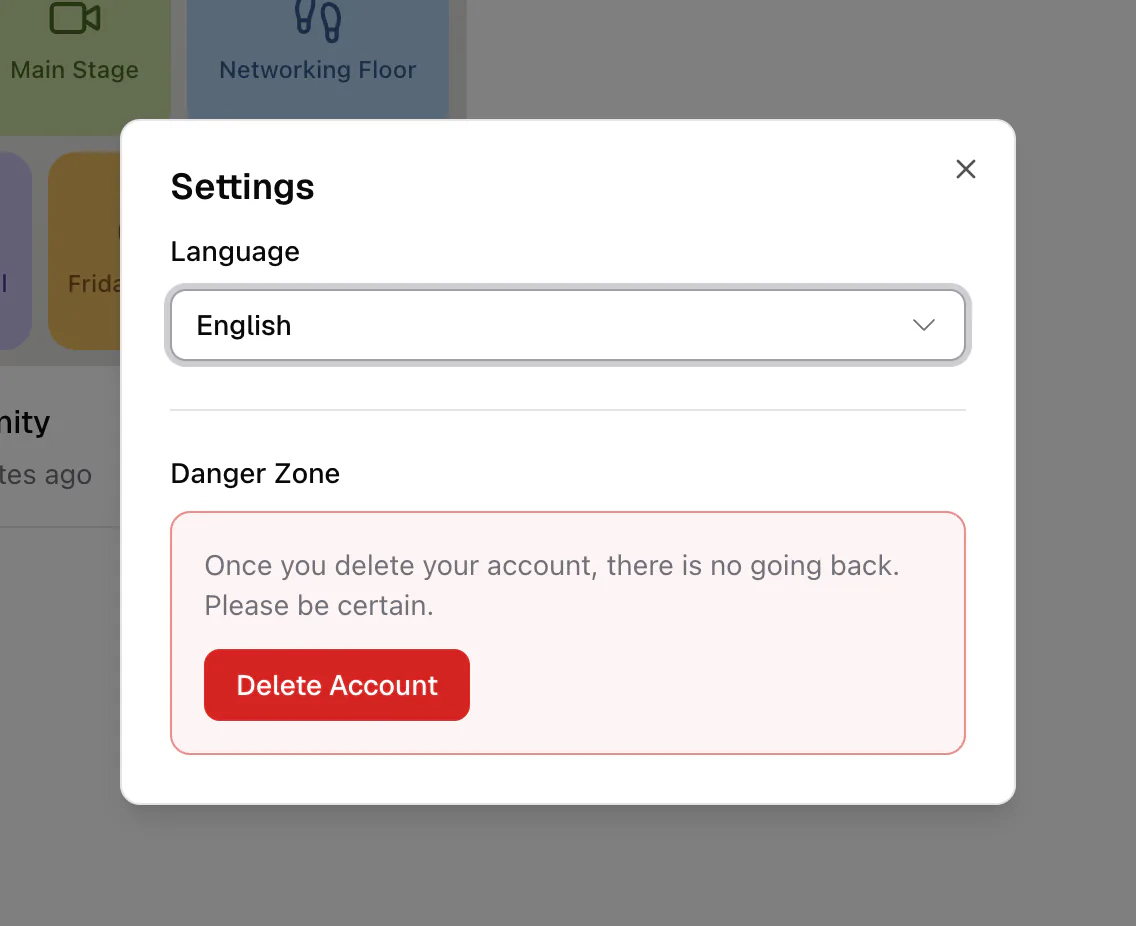
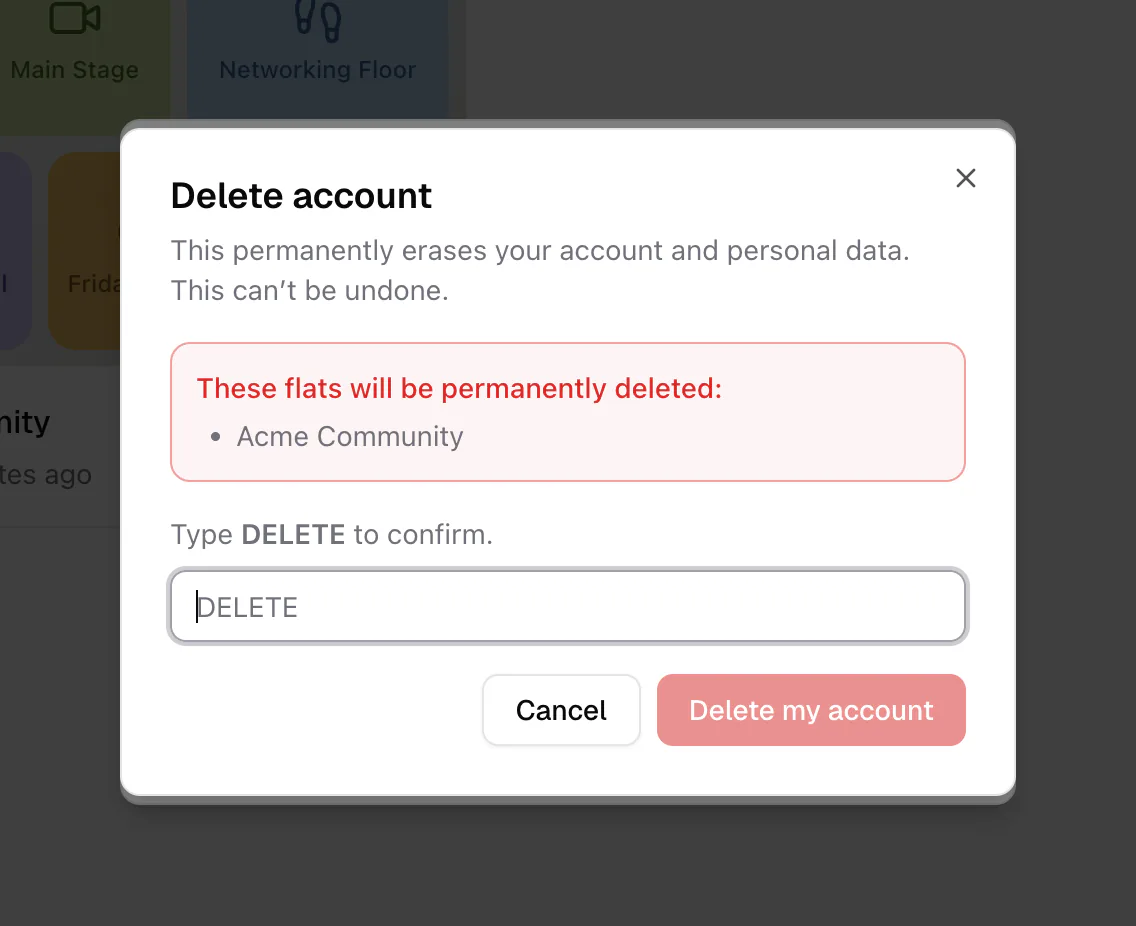
In your dashboard, open Settings, go to the Danger Zone, and click Delete Account. flat.social shows which flats and subscriptions will be removed, you type DELETE to confirm, and your account is erased for good. It cannot be undone.
Deleting your account erases your account and personal data and cannot be undone. Flats you own are deleted with it, and their subscriptions are cancelled immediately.
What gets deleted?
Before anything is removed, flat.social checks the flats you own:
- Flats where nobody else holds a role are permanently deleted with your account. Visitors and guests don't count, so a busy public flat with no role holders is deleted too.
- Flats where someone holds a role (people you assigned a role to, or who accepted an invite) block deletion, so they don't lose their space without warning.
- Active subscriptions on flats being deleted are cancelled immediately, and you won't be charged again. Scheduled Day Passes are not refunded automatically; contact support if you had one booked.
The dialog lists all of this before you confirm.
How to delete your account
- 1Open Settings
In your dashboard, click your name at the bottom of the sidebar and choose Settings.
- 2Go to the Danger Zone
In the Danger Zone, click Delete Account.
- 3Review what will be deleted
The dialog lists "These flats will be permanently deleted:", any subscriptions that will be cancelled, and any flats that still have people with roles.
- 4Type DELETE
If nothing is blocking you, type DELETE in the confirmation box.
- 5Confirm
Click Delete my account. You are signed out, returned to the sign-in page, and sent a confirmation email.
Ownership can't be transferred to another account yet, so you have two options: remove everyone from the flat's roles (Settings → Users → User Roles → Assign role on each role), or delete that flat first from Settings → Ownership. See Roles & permissions and Delete a flat.