Element catalog
Everything you can place in an Open Spatial room, by category.
Last updated:
What is the element catalog?
The element catalog is the library you place things from in build mode. Every piece of an Open Spatial room is an element: private rooms and stages, chairs, signs, trees, animals, cars, games, and plain building blocks. The library sorts them into 11 categories and marks what each one does with badges.
How do I browse the library?
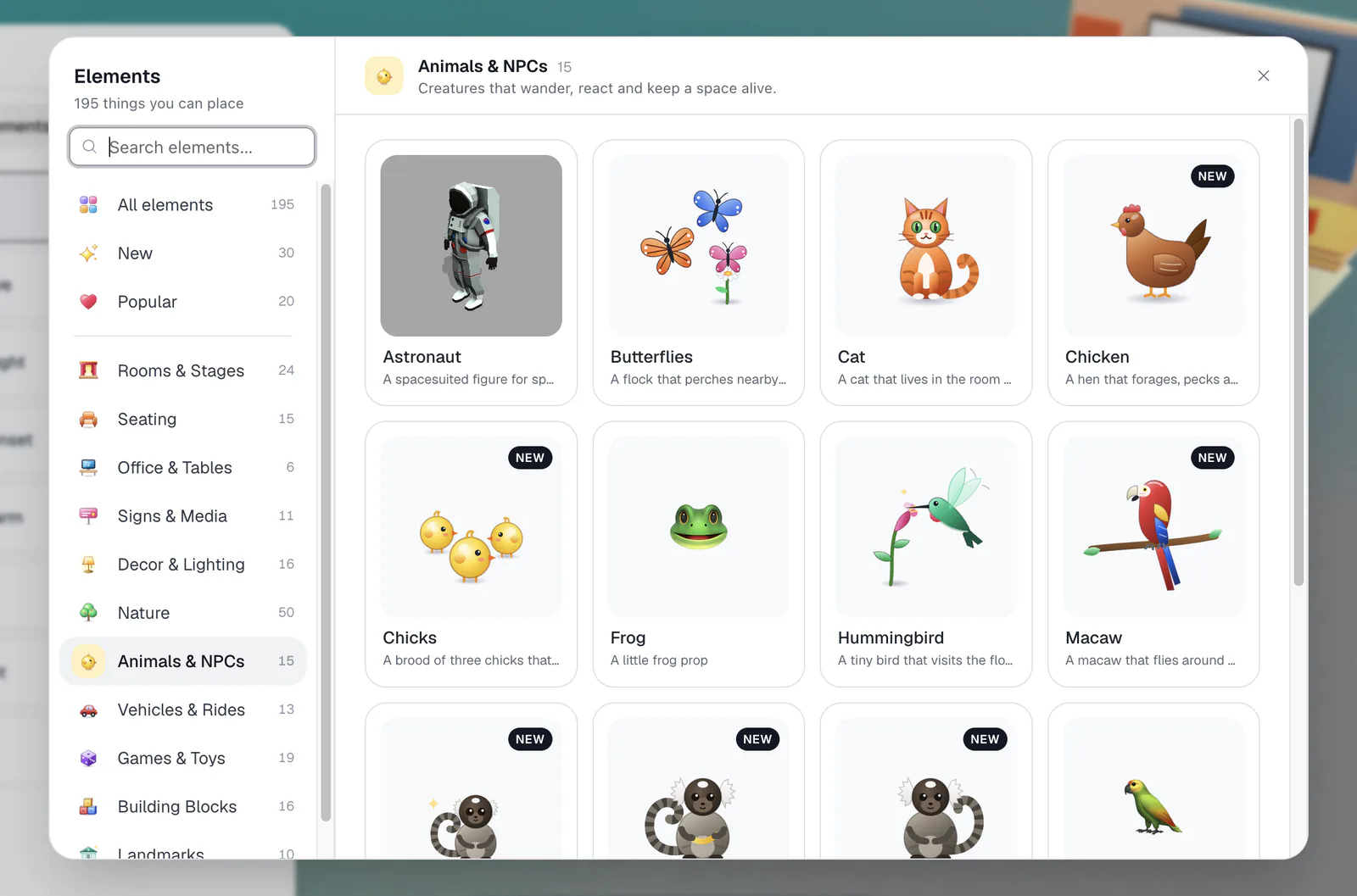
The library opens each time you enter build mode (after a short tour the first time), and any time from Explore all elements in the Add New tab. On the left you'll find Search elements…, three shelves, and the category list:
- All elements: "Everything you can place. Pick a category on the left, or search."
- New: "The newest additions to the catalog." The newest items also wear a New badge.
- Popular: "The twenty things people place most. A good place to start."
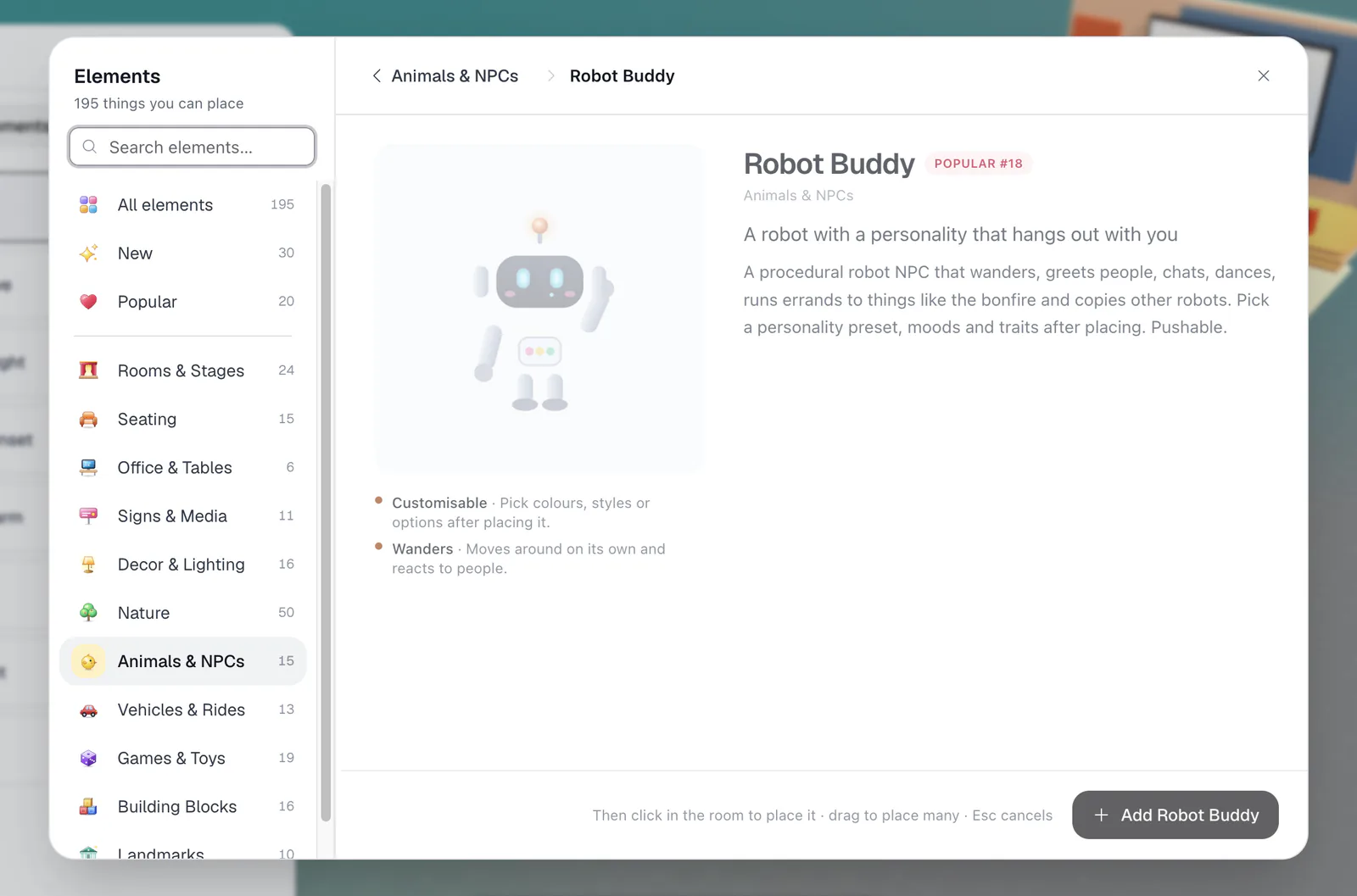
Click a card to open its detail view, with a description, its badges explained, and an Add {name} button. Then click in the room to place it, drag to place many, and press Esc to stop. You need the Build Map permission and a computer.
What do the badges mean?
| Badge | What it means |
|---|---|
| Sit | Walk up and press Enter to sit. |
| Drive | Press Enter to get in and drive with the arrow keys. |
| Ride | Press Enter to hop on. |
| Play | Press Enter next to it to play. |
| Talk | Press Enter to use it. Everyone nearby hears or sees the result. |
| Teleport | Press Enter to jump to the linked spot. |
| Shows content | Shows text, an image or a screen that everyone can read. |
| Private audio | People inside only hear and see each other. |
| Customisable | Pick colours, styles or options after placing it. |
| Pushable | Has physics. It moves when bumped. |
| Wanders | Moves around on its own and reacts to people. |
The categories at a glance
| Category | What it's for | A few examples |
|---|---|---|
| Rooms & Stages | Private rooms, pods and auditoriums. People inside only hear each other. | Room variants, Round Room, Pod, Floored Room, Portal, six stages |
| Seating | Chairs, sofas and loungers. Walk up and press Enter to sit. | Chair, Sofa, Bean Bag, Hammock, Office Chair |
| Office & Tables | Desks, tables and the things that make a corner feel like work. | Standing Desk, Coffee Table, Sticky Note, Timezone Clock, Watercooler |
| Signs & Media | 3D text, billboards, signs and clocks. Say what a place is for. | Billboard, Flag, Street Sign, Social Button, Balloon Letters, Megaphone Tower |
| Decor & Lighting | Rugs, lamps and mood pieces. Small things that set the tone. | Disco Light, Floor Lamp, Lava Lamp, Fireplace, Aquarium, rugs |
| Nature | Trees, plants and terrain. Fill the outside. | Park Tree, palms, conifers, Plant Pot, walkable terrains |
| Animals & NPCs | Creatures that wander, react and keep a space alive. | Robot Buddy, Cat, Macaw, Chicken, Marmosets, Butterflies |
| Vehicles & Rides | Things you can drive, fly, surf and ride together. | Golf Cart, VW Beetle, Helicopter, Ferris Wheel, UFO |
| Games & Toys | Bowling, chess, arcade, dice and other reasons to hang around. | Bowling Lane, Chess Board, Snake Arcade, Upright Piano, Hat Stand |
| Building Blocks | Bricks, ramps, walls and streets. Build your own structures. | Brick, Ramp, Arch, Doorway, Stairs, Street pieces |
| Landmarks | Big statement pieces. One is usually enough. | Big Ben, Statue of Liberty, Pyramid, Sphinx, Torii Gate |
Rooms & Stages
- Rooms come in many door and window layouts, plus a Round Room. All are audio isolated. See Audio isolated rooms.
- Pod: a roofless private room you shape yourself: round, square, or blob, with windows, an opening, and a Name plate.
- Floored Room: a cutaway house with one or two floors; each floor is its own audio zone.
- Portal: sends people to another spot, room, or flat. See Portals.
- Stages: Minimal, Theatre, Lecture Hall, Cinema, Business, and Festival. See Host a talk on a stage.
Seating
- Chair in four styles: Quilted, Japandi, Bauhaus, and Travertine
- Sofa for up to four, with Seats, Upholstery, and Style options
- Bean Bag ("Press Enter to flop down") and Hammock for three
- Office Chair family that rolls and swivels: the classic plus Ergonomic, Executive, Gaming, Kawaii, and Command
- Monobloc Chair, Plastic Chair, Beach Chair, Garden Lounger, and more
Walk up to any seat and press Enter. Moving gets you back up.
Vehicles & Rides
- Golf Cart, VW Beetle, and Custom Car: press Enter to drive with the arrow keys; others press Enter to hop in as passengers.
- Pink Scooter: a two-up scooter.
- Helicopter: a four-seat helicopter ("Press Enter to fly").
- Ferris Wheel: always turning, two people per cabin ("Press Enter to ride").
- UFO: jump on top for a ride, or to abduct your friends.
- Surfboards and a Surfboard Quiver to decorate beach scenes. (Surf game rooms come with their own boards to ride.)
Animals & NPCs
- Robot Buddy: a robot that wanders, greets people, chats, and dances. Choose a Personality (Gopnik, Gym bro, Greeter, Gremlin, or Zen) and tune its Moods. People with Build Map can run three Quick Access commands for every robot in the room: Start a robot rebellion, Make the robots playful, and Call off the robot rebellion.
- Cat: pick a Coat and a Temperament: Surprise me, Friendly, Shy, Playful, Lazy, Bold, or Aloof.
- Macaw: flies around and perches on furniture; pick the Species. The Parrot circles overhead and squawks.
- Chicken and Rooster (pick the Breed), and Chicks that follow a hen.
- Marmosets: walk up and "Press Enter to throw a banana".
- Butterflies perch nearby and scatter when approached; the Hummingbird visits the flowers in the room.
Nature
- Trees: palms, conifers, bamboo, baobabs, bananas, cacti, and more. The Park Tree, the Cloudy Trees, and the Conifers have a Season: Cherry, Summer, Autumn, or Winter. It changes as soon as you click.
- Plants: a Plant Pot where you choose the pot, finish, and plant; a Bonsai; a Monstera; and more. Underwater scenes get Coral and an Algae Patch with fish.
- Terrains: walkable landscapes: Dune Terrain, Snow Terrain (leave tracks and throw snowballs), Lunar Terrain, Rock Desert Terrain, and Patagonia Terrain. Set the Size and click the regenerate button for a new layout.
Games & Toys
- Bowling Lane: "Drag the ball back, then let go". Everyone sees the pins fall.
- Chess Board: a set anyone in the room can play. "Drag a white piece to start".
- Snake Arcade and Upright Piano: walk up, press Enter, and play with your keyboard.
- Rolling Dice and Dreidel: everyone sees the result.
- Confetti Cannon, Trampoline, Pickle Jar, and Challah for fun moments.
- Hat Stand: pick one of 12 hats and choose One hat or Unlimited. Walk up and press Enter to wear it.
- Football, Beach Ball, Rubber Duck, and other pushable toys, plus a Tornado that spins up anything loose.
Signs, decor, and building blocks
- Signs & Media covers 3D text, billboards, flags, street signs, social buttons, the bell, and the megaphone. See Show content in your room.
- Decor & Lighting sets the mood: a Disco Light, a Floor Lamp in twelve styles, a Lava Lamp, a Fireplace, a Bonfire (don't step in), a walk-in Aquarium, and rugs.
- Building Blocks are resizable shapes for your own structures, plus stairs, streets, a stop sign, and a traffic light. See Build mode.
After placing something, leave build mode and walk up to it. Sit on the sofa, drive the cart, or ring the bell to see how it feels. Undo (⌘/Ctrl+Z) removes anything you placed by mistake.