Room types
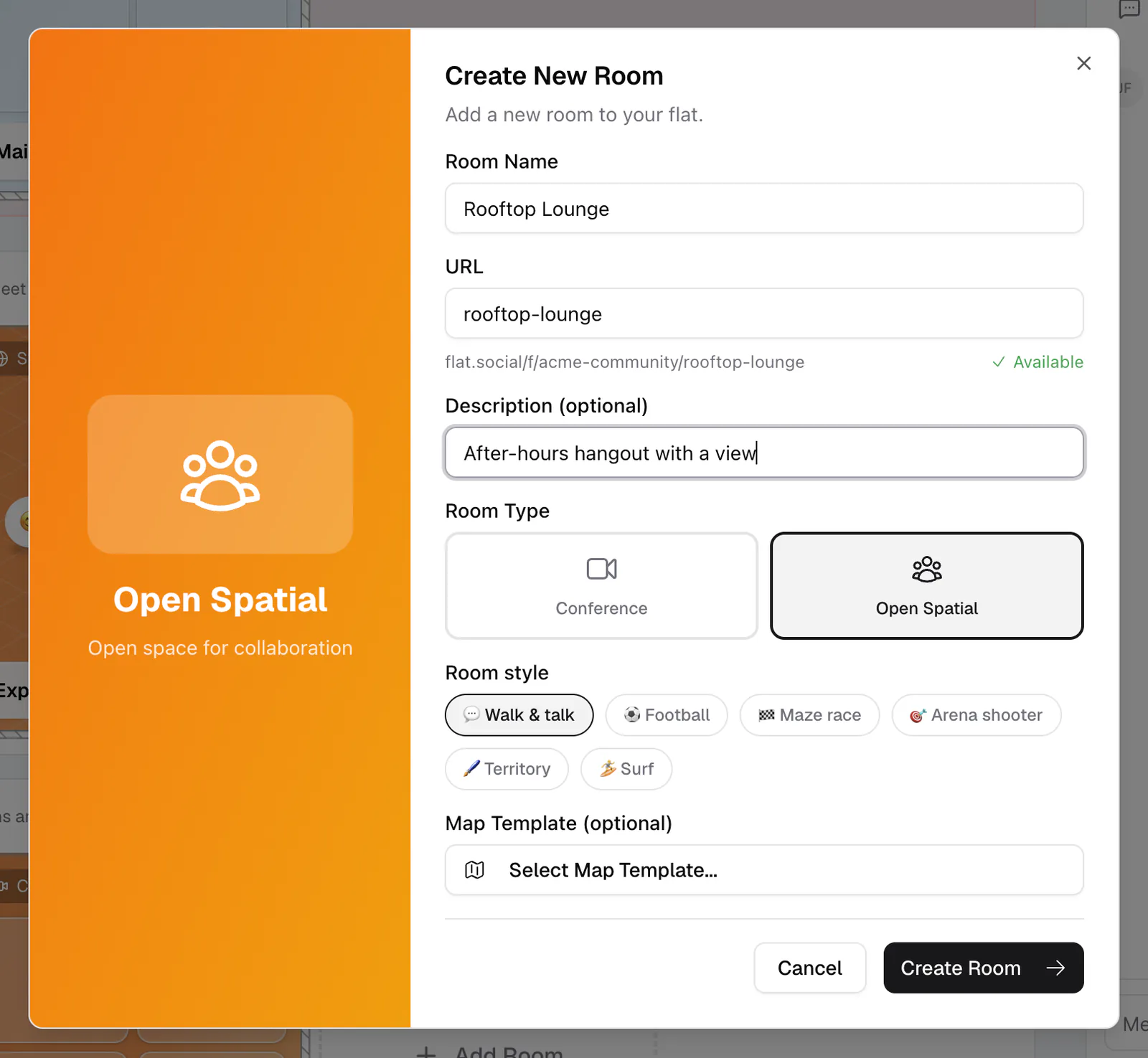
Open Spatial or Conference. Pick the room that fits your gathering.
Last updated:
What are the flat.social room types?
When you create a room you choose one of two types: Open Spatial or Conference. Open Spatial is the signature experience, a walkable 3D space with proximity audio. Conference is a classic video-grid call. Every room, whatever its type, also has its own text chat, so you don't need a separate room for messages.
What is an Open Spatial room?
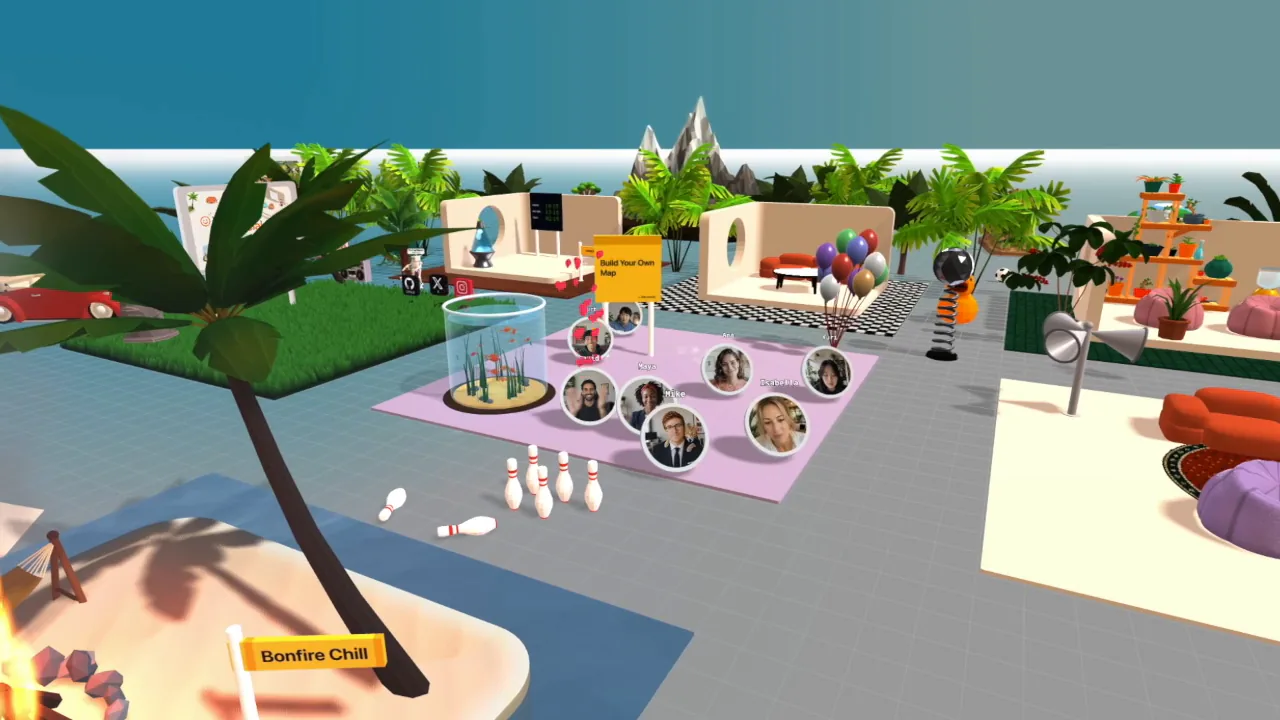
An Open Spatial room is a walkable 3D space with spatial audio. Everyone has an avatar on a map, and voices get louder as you walk closer to someone. Several conversations can happen in one room at once, just like a real venue.
Open Spatial: the walkable 3D room
Pick Open Spatial when you want people to mingle. Guests move their avatars around a map, and the audio follows their position, so a 40-person mixer naturally breaks into small clusters instead of one giant call. You can rebuild the map in build mode, pick a lighting vibe, and set the room's background gradient and lobby card cover.
Good for: meetups, networking, parties, virtual offices, after-work hangs, and any event where you want side conversations.
Room styles: walk and talk, or play a game
Open Spatial rooms also have a Room style. The default, 💬 Walk & talk, is the classic social room. The other styles turn the room into a mini-game arena: ⚽ Football, 🏁 Maze race, 🎯 Arena shooter, 🖌️ Territory, and 🏄 Surf. Each comes with a ready-made arena you can still edit in build mode.
In game rooms, voice is not spatial: everyone hears everyone at full volume, so teams can shout across the pitch. The style is fixed when you create the room. See Game rooms for how each game works.
What is a Conference room?
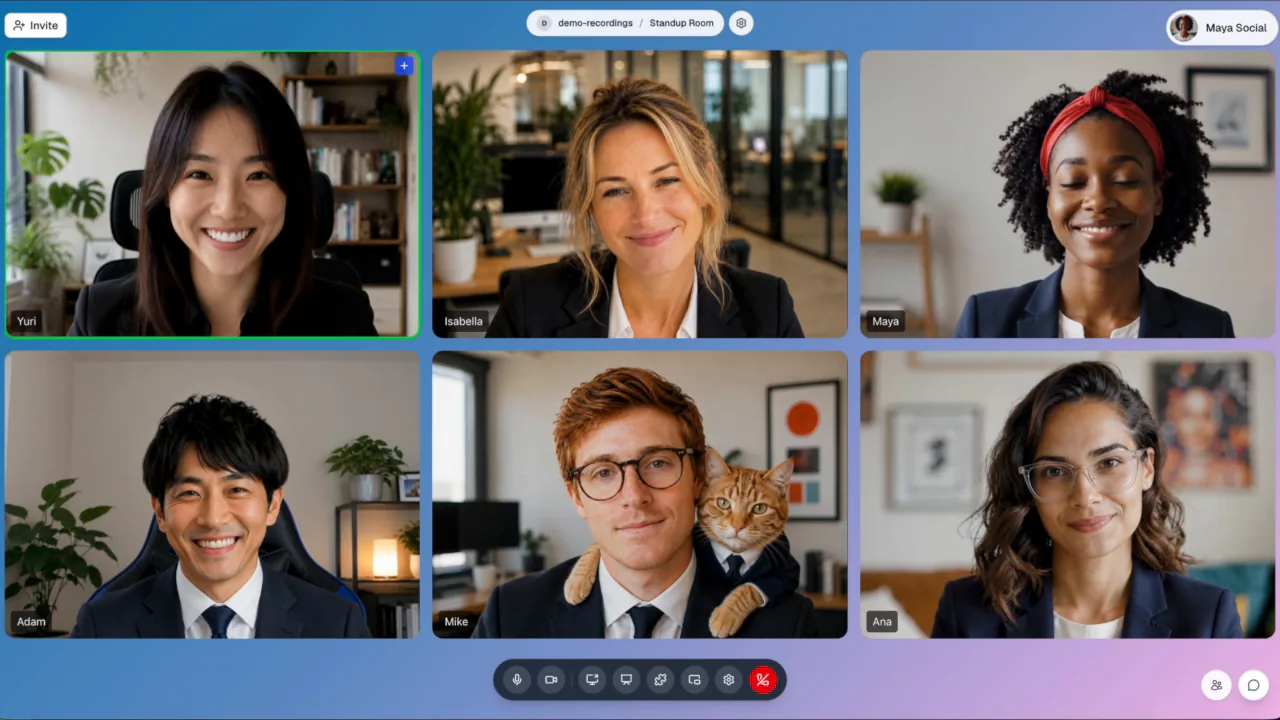
A Conference room is a classic video-grid call. Everyone shares one audio channel and sees each other in a grid, with Gallery, Speaker, and Dynamic layouts. It works like the video calls people already know, plus a stage for screen shares, slides, a whiteboard, standups, and webinars.
Conference: the video-grid call
Pick Conference when one person presents and everyone listens, or when a small group needs face-to-face talk with no walking around. Everyone shares a single audio channel, and each person can switch between Gallery, Speaker, and Dynamic layouts. You can put a screen share, slides, or an activity on the stage, or turn the room into a webinar with speakers and an audience. See Conference rooms.
Good for: webinars, all-hands talks, panels, demos, standups, and standard meetings.
Your flat can hold as many rooms of each type as you need. Many organizers run an Open Spatial main floor for mingling, a Conference room for talks, and a game room for the end of the day. Text chat lives in every room and in the lobby Chat panel. See Create & configure rooms.