Chat channels and direct messages
Text chat across your lobby, inside every room, and between people.
Last updated:
How does chat work in flat.social?
Every flat has one Lobby chat for everyone, every room has its own chat, and anyone can start a direct message with someone else. The channels are created for you: there is nothing to set up, and chat history is kept.
Three places to chat
- Lobby: the flat-wide channel. It's open in the Chat tab of the lobby sidebar ("Message the lobby...").
- Room chats: each room has its own channel, and you can read it from the room or from the lobby. A question typed in your workshop room stays in the workshop room's chat, but people elsewhere in the flat can still find it.
- Direct messages: private conversations between two people. Guests can send and receive them too.
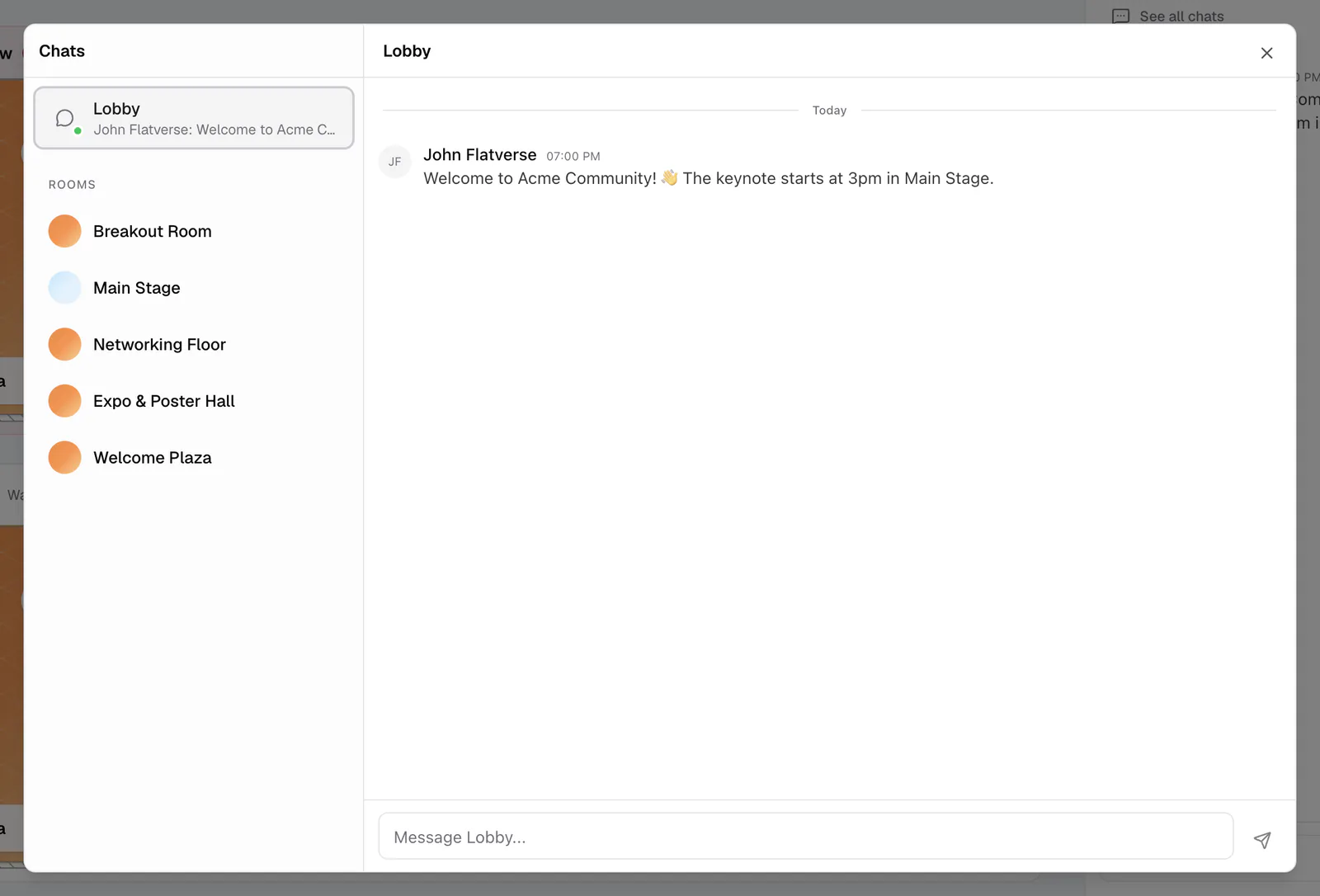
Click See all chats to open the Chat window, which lists Lobby, Rooms (with how many people are in each), and Direct Messages.
Start a direct message
You can message someone from several places: Send direct message on their profile in the lobby People tab, Send message in the in-room Users panel, Private message in their avatar menu in an Open Spatial room, or Message on their tile in a Conference room.
Mentions and notifications
Type @ and a name to mention someone; they get a notification with "Mentioned you". To reach a group, use @room for everyone in the room or @flat for everyone in the flat. When people join or leave a room, flat.social shows a short toast instead of filling the chat with join messages. Unread messages show a badge on the Chat tab.
Moderating chat
- Remove message: people with the Moderate Chat permission can delete anyone's message in the Lobby and room chats. It's removed for everyone and can't be undone. Direct messages can't be moderated.
- Filter Profanity: turn it on in Settings → Access to mask swear words in chat and in guest names (English only).
- Ban: remove someone who keeps misbehaving. See Ban and moderate users.
Messages can be up to 2,000 characters.
Use the Lobby chat as a help desk during events so people can ask questions without breaking into a voice conversation. For one-way notices, post an announcement instead.