Play games in a room
Controls and scoring for every game room, plus the arcade, piano, chess, and bowling.
Last updated:
How do games work in flat.social?
There are two ways to play:
- Game rooms are built around one game: Football, Maze race, Arena shooter, Territory, or Surf. You'll spot them in the lobby by the game's label on the room card, like ⚽ Football. Everyone in a game room plays, and rounds start on their own.
- Stations like the Snake arcade, piano, chess board, and bowling lane can sit in any Open Spatial room. Walk up and play whenever you like.
The first time you play each game, a rules card explains it. Click Let's play! to start. When a round ends, a results card shows the leaders and "Next round starts shortly"; click Close to hide it. In game rooms you hear everyone at full volume, wherever they are, instead of only the people near you.
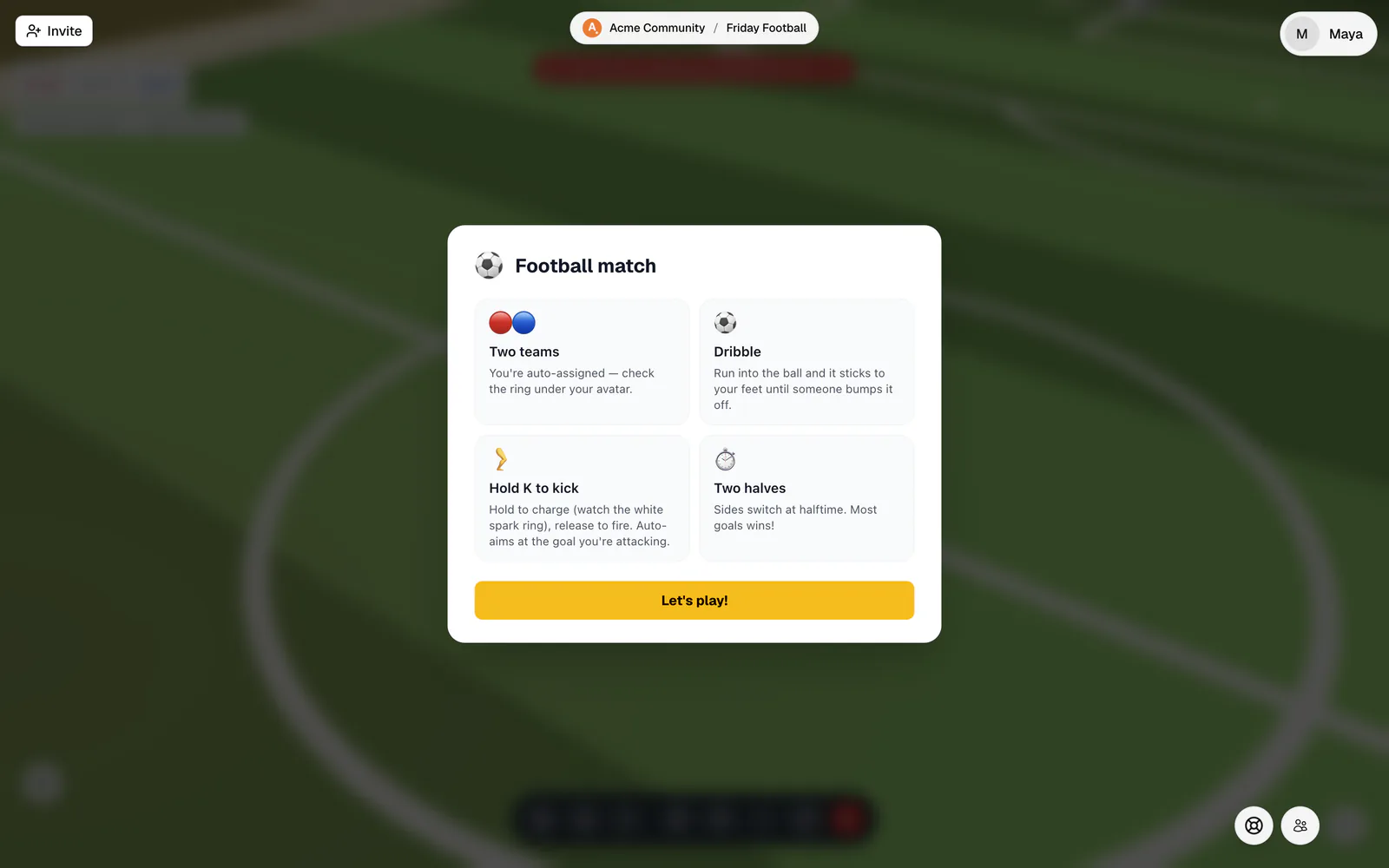
Football
- You're put on the Red or Blue team automatically. The ring under your avatar shows which.
- Run into the ball to dribble. It sticks to your feet until someone bumps it off.
- Hold K to charge a kick and let go to shoot. A full charge takes just over a second, and the kick aims itself at the goal you're attacking.
- A match needs two players and has two 5-minute halves. Sides switch at half-time, and the most goals wins. Draws are possible.
- The score card at the top shows the score ("Red 1 : 0 Blue") and the phase, like "1st half" or "Full time". An arrow on the ground points to the ball when it's far away.
On your own, you get a warm-up ball until a second player arrives.
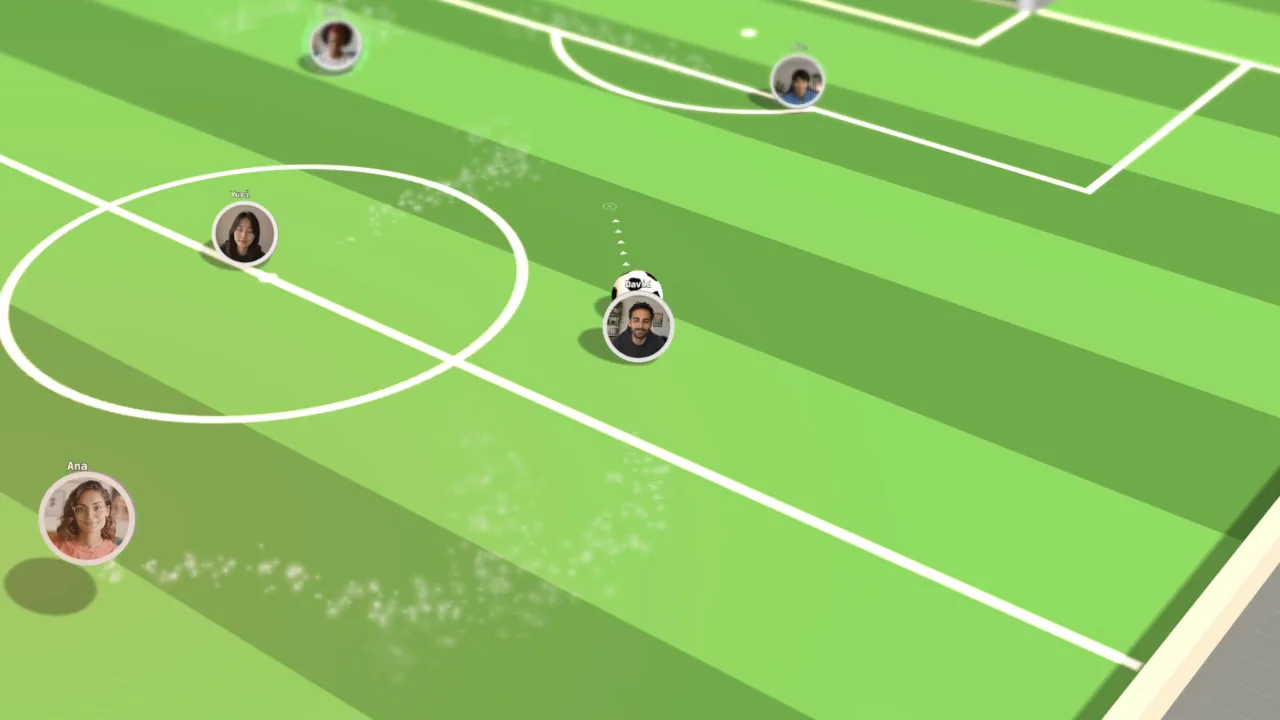
Maze race
- Everyone starts in a side chamber. The exit is on the far side of a maze that's new every round.
- Coins are worth +10 and diamonds +100. Bombs cost 10 points and launch you high into the air.
- An escape bonus starts at 1,000 points and drops by 6 every second, so rushing out pays as well as collecting.
- Once someone escapes, everyone else has 60 seconds. A race lasts 5 minutes at most.
- The walls are too tall to jump, and the top-down camera is off during a race.
- If you arrive after the start, you watch until the next round.
Arena shooter
- Move with WASD. During a round, clicking the floor doesn't walk you there.
- Click, or hold the mouse button, to fire where you aim. In first-person view you fire at the crosshair in the middle of the screen.
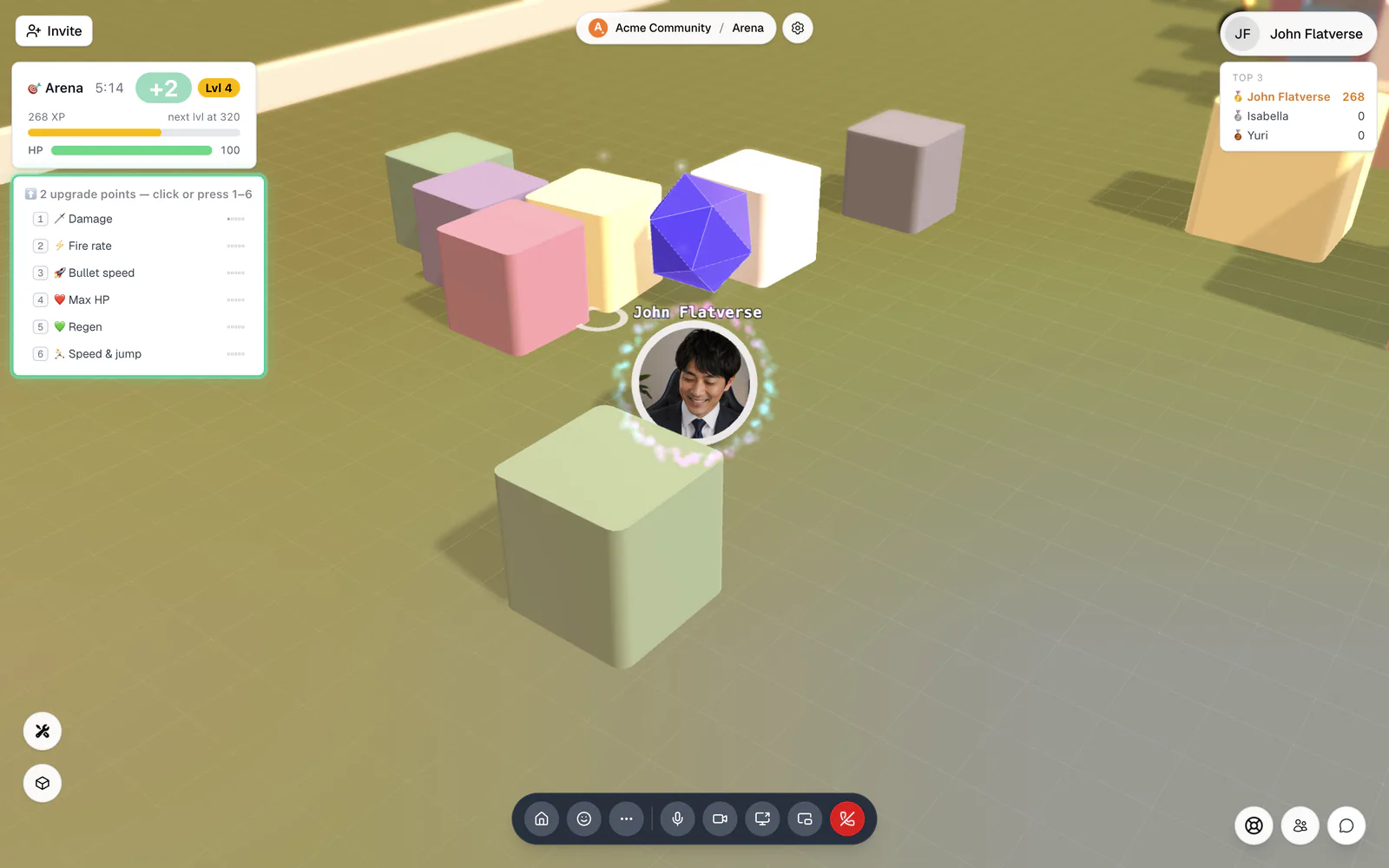
- Destroy bricks for XP. The giant d20 die is tough but worth 400 XP. Knocking someone out earns 40 XP plus 30% of their XP.
- Grab heals for +25 HP. Bombs blow up when you touch or shoot them, hurting everyone nearby.
- You have 100 HP, and it only starts coming back 60 seconds after your last hit. When you're knocked out you respawn right away, protected for 3 seconds.
- Levelling up gives upgrade points. Click an upgrade or press 1 to 6: Damage, Fire rate, Bullet speed, Max HP, Regen, and Speed & jump. Each goes up to 5, and upgrades reset every round.
- Rounds last 10 minutes and the most XP wins. Leaving the room wipes your score.
Territory
- You start with a small patch of land in your colour.
- Step off your land to draw a trail, then loop back home. Everything inside the loop becomes yours, including other players' land.
- If anyone touches your trail, you're out, and that includes you (stepping back over the last few cells is fine). A head-on crash knocks out both players.
- Jumping carries you over trails, but it leaves a gap in your own line.
- When you're knocked out, your land goes neutral and you respawn straight away with a fresh patch.
- The minimap at the bottom right shows who owns what. Rounds last 15 minutes; the most land wins, and the map wipes for the next round.
Surf
- Walk to the board rack on the beach and press Enter at Pick up board. Choose Put down board to leave it and try another.
- There are four kinds of board: Longboard ("easy catches, soft landings"), Shortboard ("sharp turns, tricks pay 1.4×"), Fish ("small waves pay 1.5×"), and Gun ("the only board for monster waves").
- Paddle toward an incoming wave to catch it, then ride it to the beach. You score for every metre you ride, plus a bonus for reaching the beach. Hitting a rock is a "Wipeout!" and you keep only half the ride.
- Tricks: press Space to jump off the wave, tap A or D in the air to spin, and land back on the wave.
- If someone is already riding a wave, dropping in on it earns you nothing ("Burned").
- The boat seats two. Walk up and choose Board the boat. The first person aboard steers by leaning, F casts a fishing line, and Enter hops off.
- Your heat (your best two waves plus rescues, ferries, and fish) ranks the leaderboard. Rounds last 10 minutes.
The buttons on the left are for everyone: 🏝️ Start a new surf starts a fresh round with new rocks and resets everyone's score, while 🌊 Summon tsunami and 🌀 Barrel wave send in special waves. 🌫 Fog and 💧 Blur only change your own view underwater.
Stations you can use in any room
These can be placed in any Open Spatial room, and anyone can use them.
Snake arcade
Walk up to the cabinet and press Enter at "Press Enter to play Snake". Steer with WASD or the arrow keys, and press Enter or Space to start or play again. Each bite is worth 10 points, and the snake speeds up as it grows. Press Esc or the X (Leave the arcade) to step away. Only you see your game; everyone else sees the demo screen. Your high score is saved in your browser.
Upright piano
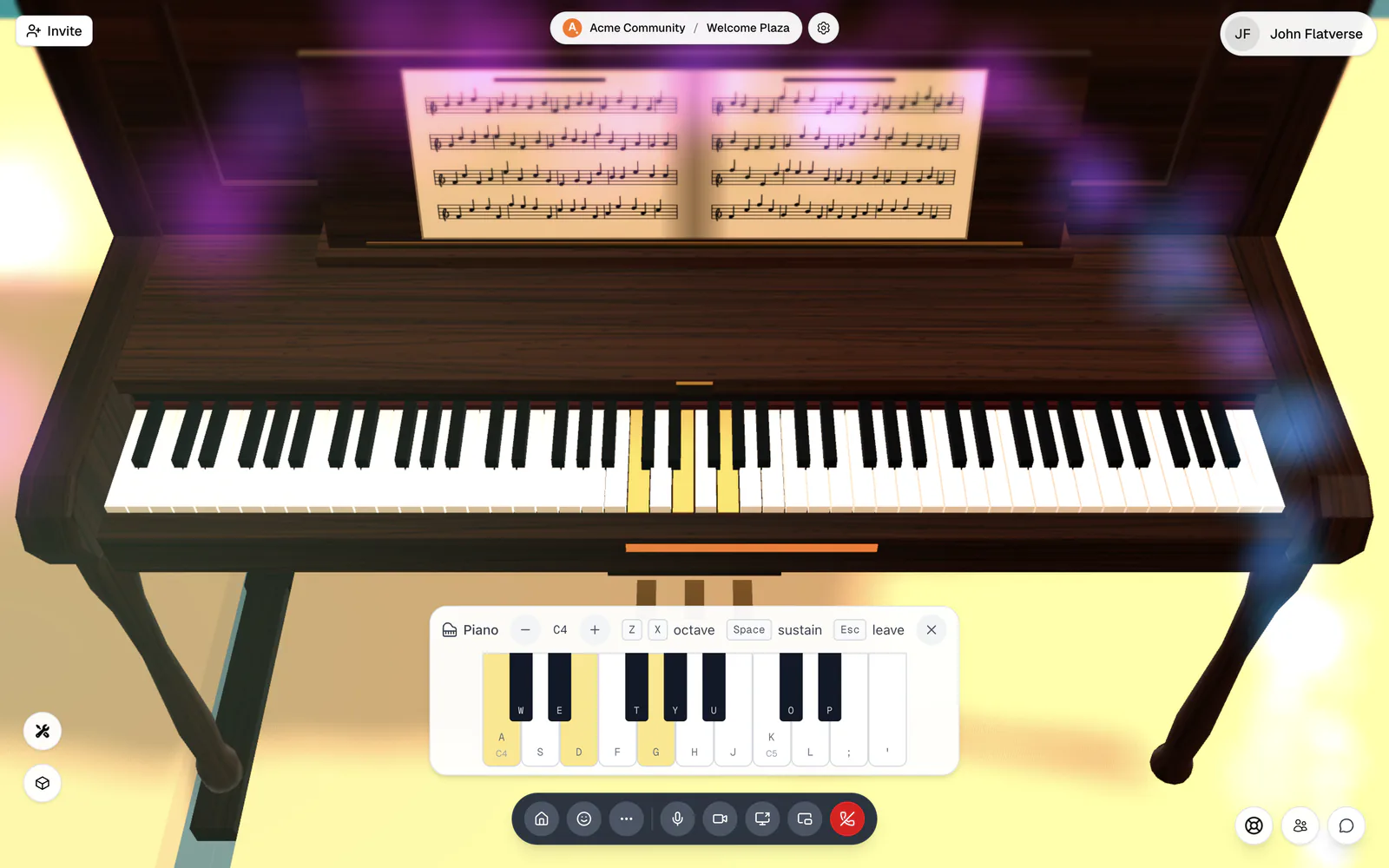
Stand in front of the keys and press Enter at "Press Enter to play the piano". The middle row of letters (A S D F G H J K L ; ') plays the white keys and the row above it (W E T Y U O P) the black keys. Z and X move down or up an octave, and holding Space sustains the notes. You can also click or drag across the keys on screen. Several people can play the same piano, and people nearby hear it. Press Esc or the X (Leave the piano) when you're done.
Chess board
There's no prompt: drag a piece to its square, or click the piece and then the square. "White to move" shows whose turn it is, and illegal moves snap back. The board is open, so anyone in the room can make the next move for either colour; agree who plays which side. When a pawn reaches the far side, choose a piece under Promote pawn to. The game stays on the board until someone clicks the NEW GAME plaque and confirms Start new game, which clears it for everyone.
Bowling lane
Press on the ball, drag it back, and let go, like a slingshot: the direction sets your aim and the length of the pull sets the power ("Drag the ball back, then let go"). Anyone can bowl while the lane is free. The scoreboard keeps up to four bowlers by name, with standard 10-frame scoring and a Lane best. The red button starts you over: "This clears your own score on this lane. Everyone else keeps theirs."
Game controls
Game rooms
Stations
Tap or drag to walk, use the Jump button, and tap the prompt under your avatar instead of pressing Enter. The Snake arcade gives you on-screen arrows and a green Start button, and you can play the piano by touch. Kicking in Football and trick spins in Surf need a keyboard. In the Arena shooter a tap fires, but moving during a round uses the keyboard, so play that one on a computer. See Phones and tablets.