See who's around
Find people, check who is online, and reach out.
Last updated:
How do I see who's around?
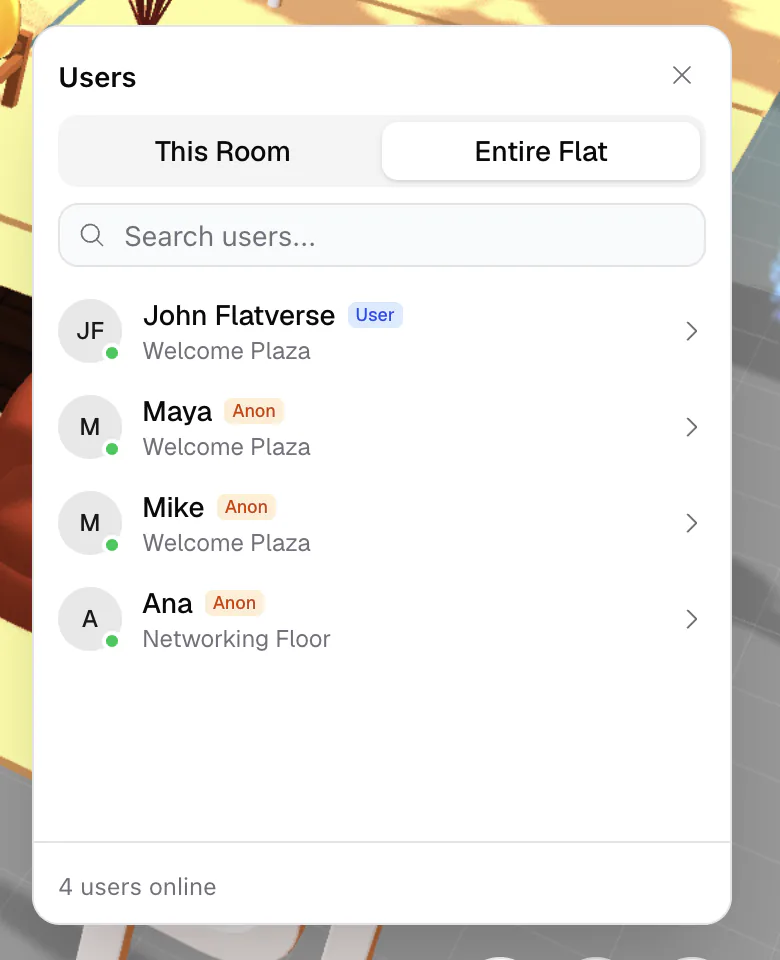
Click the round people button at the bottom right of the room (on a phone, More → People). The Users panel has two tabs: This Room and Entire Flat. Everyone listed is online right now; on the Entire Flat tab you also see which room each person is in. Type in Search users... to find someone, and check the bottom of the panel for how many users are online.
Click someone's avatar
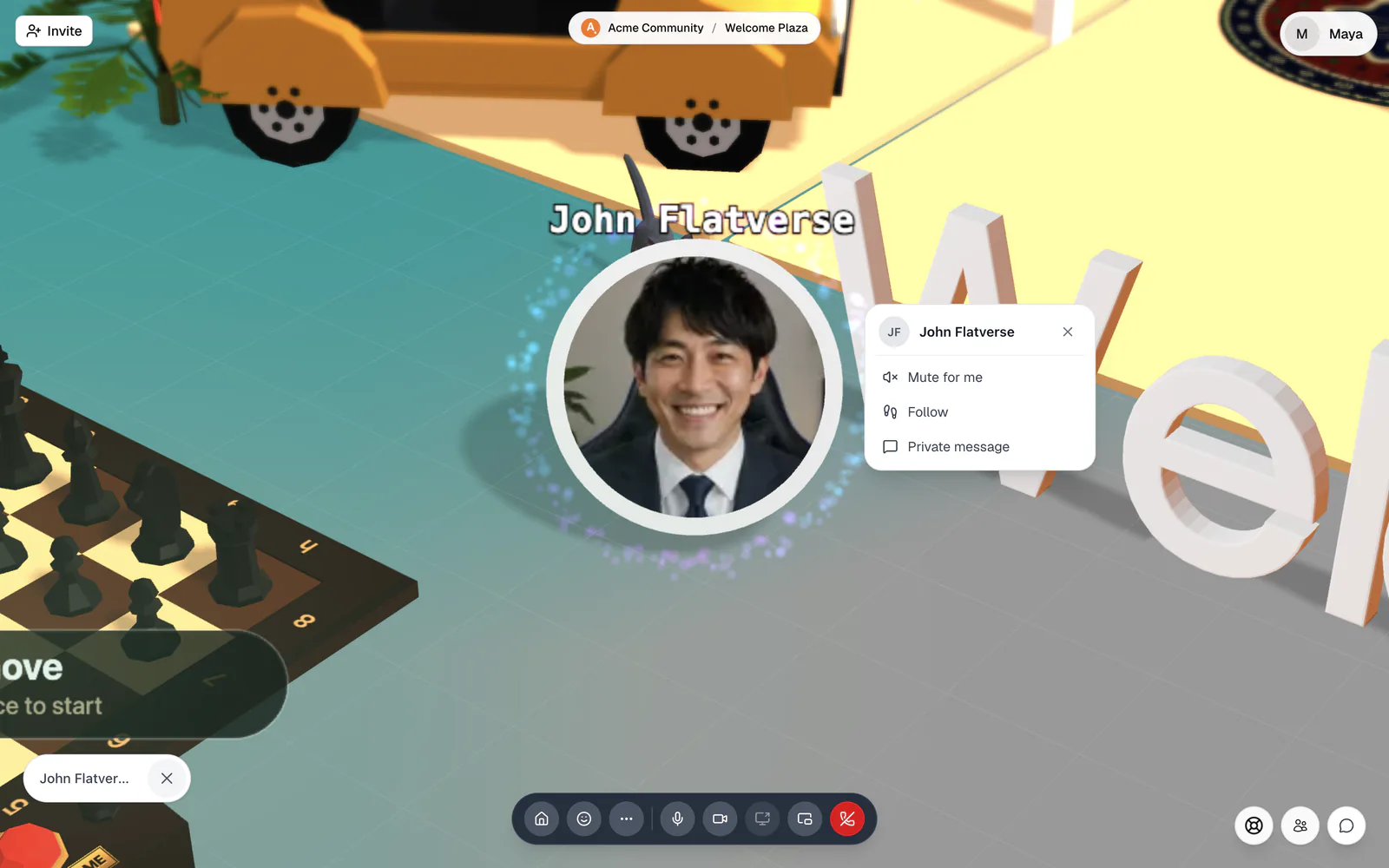
In an Open Spatial room, click a person's avatar. The camera zooms to them and a menu opens:
- Mute for me: only you stop hearing them. A "Muted only for you" tag appears under their avatar; choose Unmute for me to undo it.
- Follow: stay beside them as they walk around. A banner shows "You're following {name}" with a Stop button.
- Private message: start a direct message.
Hosts also see Mute for everyone, Kick, and Ban. Click Exit user view or press Esc to go back. Click your own avatar to take off a hat you're wearing.
Find someone fast
Open Quick Access (⌘/Ctrl+K) and try:
- Go to a person: appear right beside them
- Focus camera on a person: look at them without moving
- Invite someone to join me: they get a prompt to join you, with Join or Dismiss
- Show people in this room: open the Users panel
In the lobby, the People tab lists who is online, where they are, and who is offline.
What is presence in flat.social?
Presence is the live status that shows who is online right now and which room they are in. It updates in real time as people join, leave, and move between rooms.