Delete a flat
Remove a flat you own for everyone, and know what happens next.
Last updated:
What happens when you delete a flat?
The flat disappears immediately for everyone, all of its links stop working, and any active Monthly subscription is cancelled. You can't undo it yourself. If you deleted a flat by mistake, contact support right away and the team may be able to restore it.
Who can delete a flat?
Only the flat owner. The option lives in Flat Settings → Ownership, a page only the owner can open. Moderators and other role holders can't delete your flat.
You can't hand a flat over to another account yet. The Ownership page says "Transferring ownership to another account will live here soon."
How to delete a flat
- 1Open Flat Settings
In your flat's lobby, click the gear (Flat settings) in the header.
- 2Go to Ownership
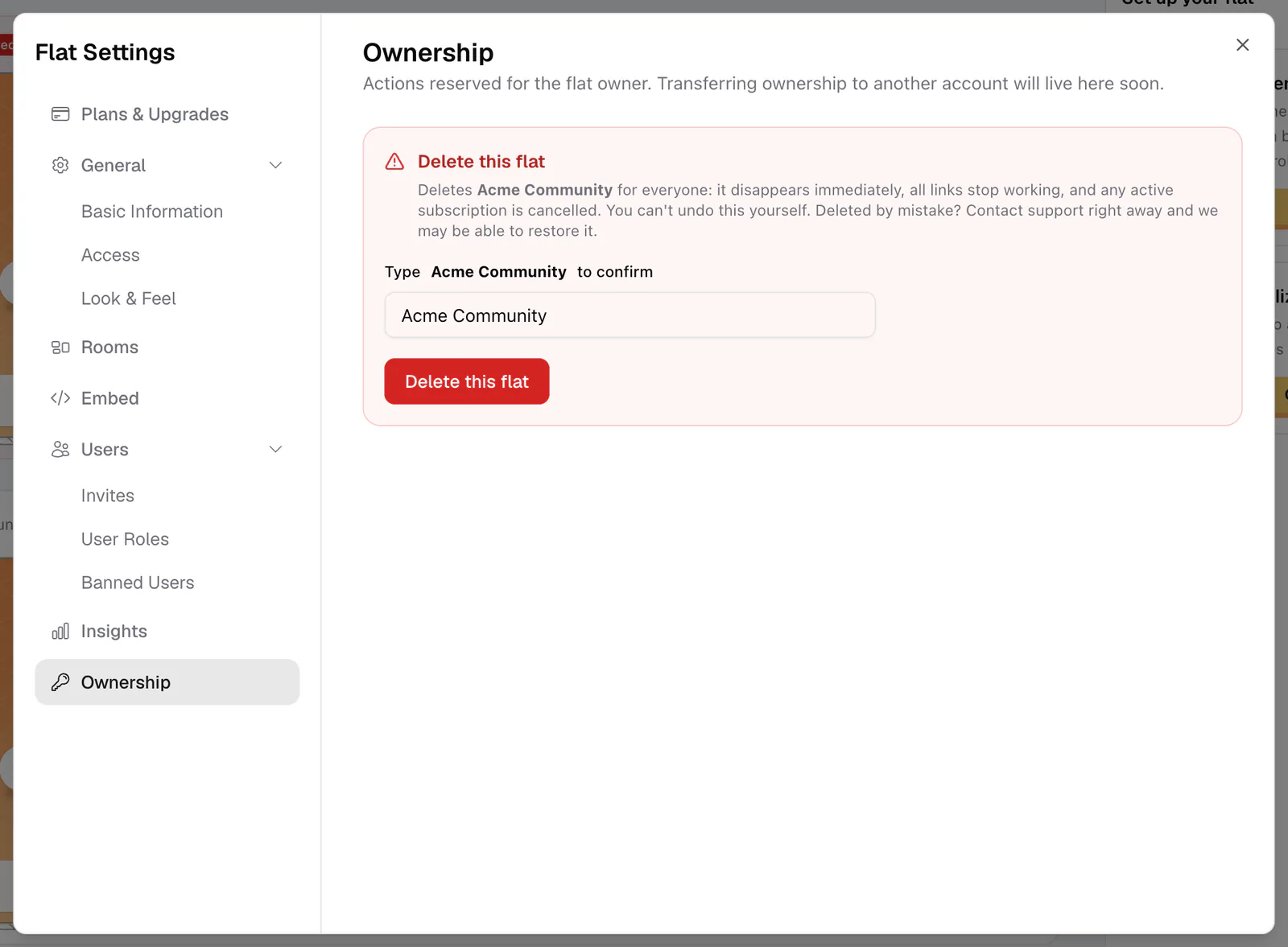
Choose Ownership, the last item in the sidebar. The page starts with "Actions reserved for the flat owner."
- 3Read the warning
The Delete this flat section explains what will happen: the flat disappears for everyone, links stop working, and any active subscription is cancelled.
- 4Type the flat's name
In "Type {your flat} to confirm", type the flat's name exactly as it appears, including capital letters. The button stays disabled until it matches.
- 5Delete
Click Delete this flat. It shows "Deleting…" and then takes you back to My Flats.
What happens after you delete
- The flat is gone for everyone. Its lobby and rooms disappear, and links to flat.social/f/{flat} and its rooms stop working. People who hold a role in it lose access.
- Your subscription stops. An active Monthly plan is cancelled immediately, so you won't be charged again.
- Day Passes are not refunded automatically. If you booked a pass for this flat, contact support before you delete it.
- The address is freed. Once the flat is deleted, its URL is available again, and a new flat can use it.
- Your account is not affected. Your other flats stay as they are, and a deleted flat no longer blocks deleting your account.
Contact support right away. See Get help. The team may be able to restore the flat. If another flat has claimed the address in the meantime, the restored flat may need a new one.
Before you delete
- Want to keep the space but close it? Turn on Closed Flat in Settings → General → Access instead. Only you and people whose role has Always Access Flat can get in. See Privacy & access control.
- Want to stop paying but keep the flat? Cancel the plan instead. Your flat returns to Free at the end of the billing period. See Monthly plan.
- Tell your regulars. Anyone who bookmarked your flat will find a dead link.