Privacy & access control
Decide who can walk into your space, and how.
Last updated:
How do I control who can join my flat?
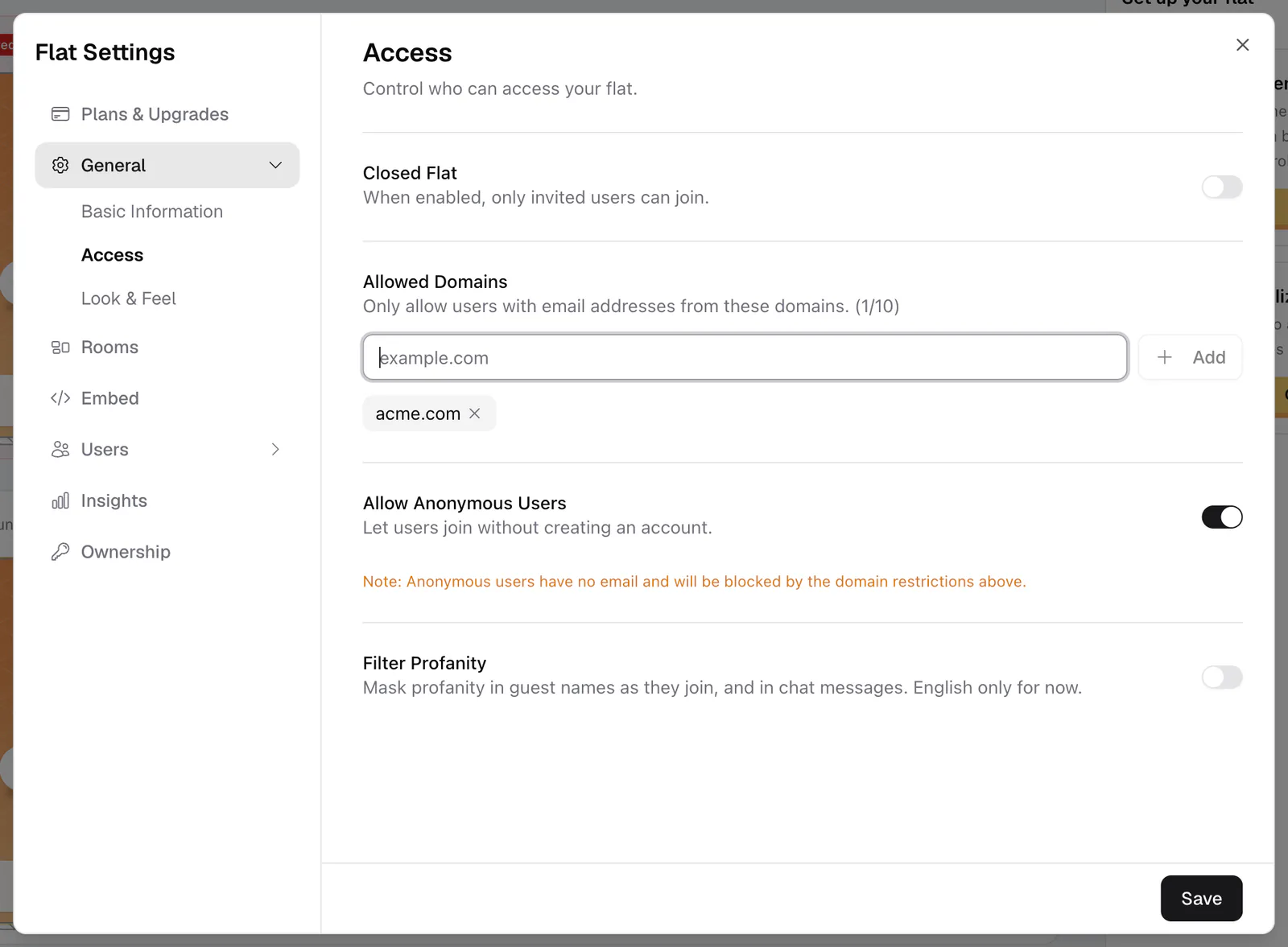
Open your flat's settings and go to General → Access. You can also get there from the Invite dialog by clicking Change who can join →. Access has four settings: Closed Flat, Allowed Domains, Allow Anonymous Users, and Filter Profanity. They apply to your whole flat, so they cover every room at once. You need to be the owner or have the Edit Access permission.
The right setup depends on your event. A public meetup wants open access, while an internal all-hands wants it locked to one email domain.
What does Closed Flat do?
Closed Flat locks the door for everyone except the owner and people whose role has the Always Access Flat permission (the built-in Moderator role has it). Guests and Members, including people you invited, see "This flat is currently closed" until you open it again. Use it to shut the space between events or while you set up.
How to set access for your flat
- 1Open Access settings
Go to Settings → General → Access.
- 2Open or close the flat
Leave Closed Flat off to let people in, or turn it on to admit only you and roles with Always Access Flat.
- 3Add allowed domains (optional)
Under Allowed Domains, type an email domain like company.com and click Add. You can list up to 10 domains.
- 4Decide on anonymous guests
Leave Allow Anonymous Users on to let people join with just a name, or turn it off to require a flat.social account.
- 5Filter profanity (optional)
Turn on Filter Profanity to mask swear words in guest names and chat messages (English only for now).
- 6Save your settings
Click Save. The new rules apply to your whole flat right away.
Restrict to your company with a domain allowlist
Allowed Domains lets in only people whose verified email is at one of your domains. Add up to 10, such as company.com, so an internal town hall stays internal. Matching is exact: subdomains like mail.company.com are not included, so add each one you need. The owner and roles with Always Access Flat can always get in.
Only verified email addresses count. People who signed in with Google or Facebook are verified already; people using email and password need to click the link in their verification email.
Let guests in without an account
Allow Anonymous Users decides whether people can join with just a name and no sign-up. Leave it on for public events where friction kills attendance. Turn it off when every attendee needs to be tied to a real account; guests without one then see "Sign in required".
Anonymous guests have no email, so if you also use a domain allowlist, they are blocked by it.
Letting specific people in
To give particular people extra abilities, invite them with a role. See Invite people by email or role link. Keep in mind that an invitation does not get anyone past Closed Flat: only the owner and roles with Always Access Flat get in while it's on.
If you change your flat URL in Basic Information, flat.social/f/your-old-url stops working. After a change, send out the new address. See Invite people.