Add a join button to your website
Paste a small button on your site that drops visitors straight into your flat.
Last updated:
What is the flat.social embed button?
It is a small piece of HTML you paste into your website, blog, or link page. It shows a button that opens your flat's lobby in a new tab. The live version also shows how many people are inside right now. It is included on every plan, Free too.
Where do I find it?
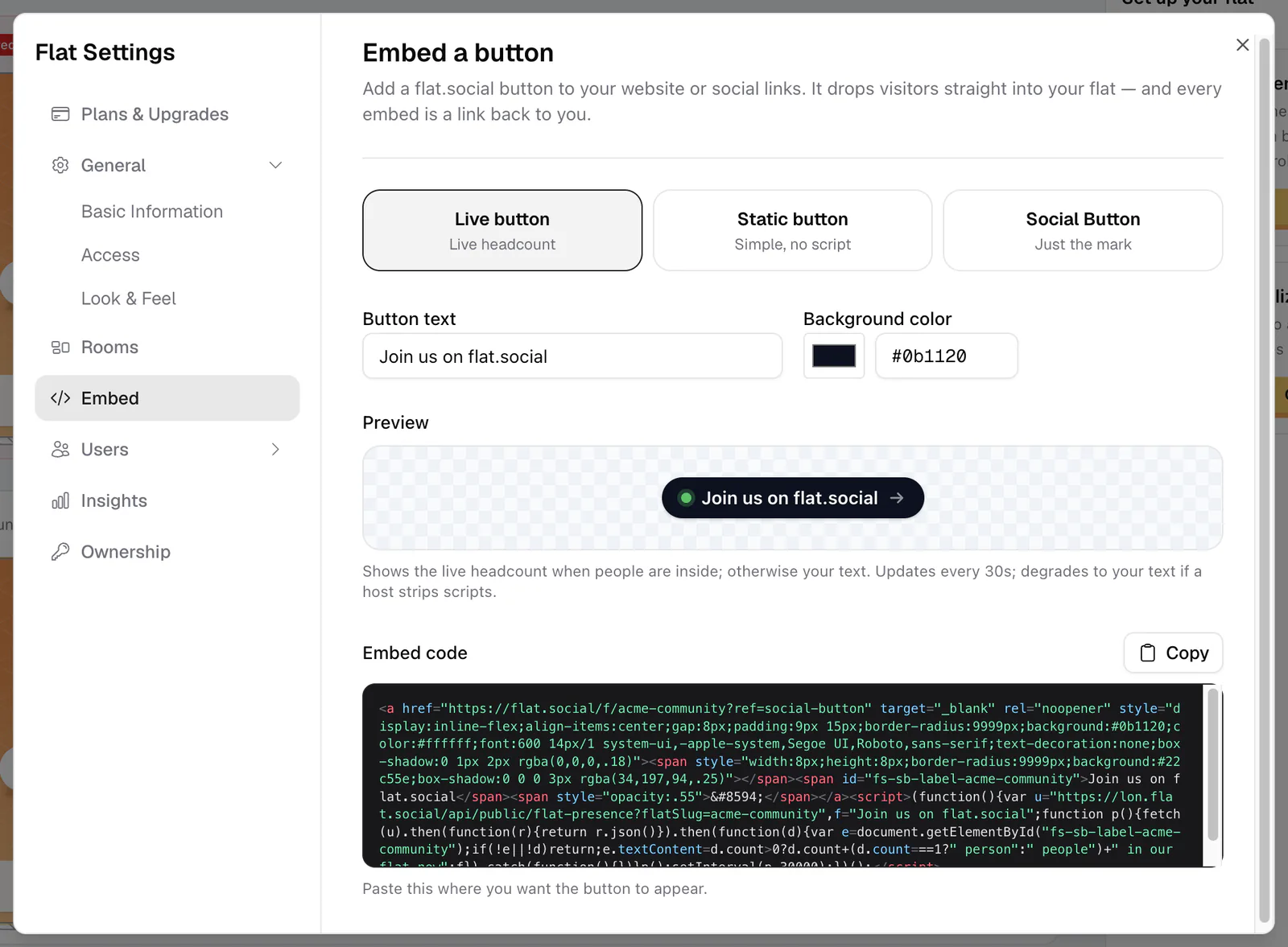
The owner finds it in Flat Settings → Embed ("Embed a button"). People who can open Flat Settings also get it in the invite dialog: click Invite and switch to the Embed tab. Both show the same builder.
How to add the button to your site
- 1Open the builder
In the lobby, click the gear (Flat settings) and choose Embed, or click Invite and open the Embed tab.
- 2Pick a style
Choose Live button ("Live headcount"), Static button ("Simple, no script"), or Social Button ("Just the mark").
- 3Write the button text
Edit Button text (up to 60 characters). It starts as "Join us on flat.social". The Social Button has no text, so this field is hidden for it.
- 4Choose a color
Set Background color with the color picker or a hex code such as #0b1120. The text turns dark or white on its own so it stays readable.
- 5Copy the code
Check the Preview, then click Copy next to Embed code. Paste it where you want the button to appear on your site.
Which style should I use?
- Live button shows your text when the flat is empty. When people are inside, it switches to a live count such as "12 people in our flat now" and updates every 30 seconds. It uses a small script. If your website removes scripts, the button still works and simply shows your text. The count is always in English.
- Static button is a plain link with your text and no script. Use it where scripts aren't allowed or you don't want to show a count.
- Social Button is a small square with the "f." mark, sized to sit next to your other social icons.
Where does the button lead?
Every style opens your whole flat, flat.social/f/{flat}, in a new tab. People land in your lobby and pick a room from there. Your access settings still apply to everyone who clicks: a closed flat, allowed domains, or a sign-in requirement work exactly as they do for your normal link. See Privacy & access control.
Anyone who loads a page with your Live button can see how many people are in your flat. It never shows names. If you would rather not share the number, use the Static button.